
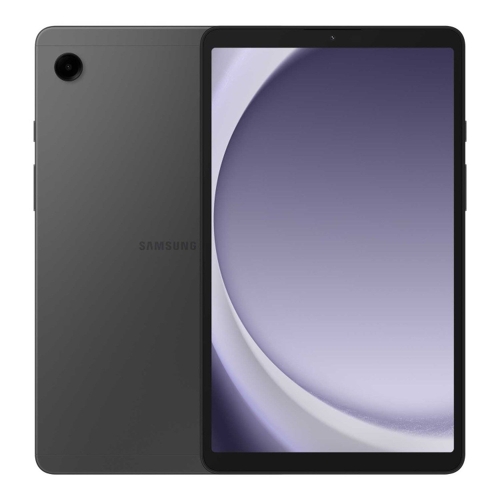
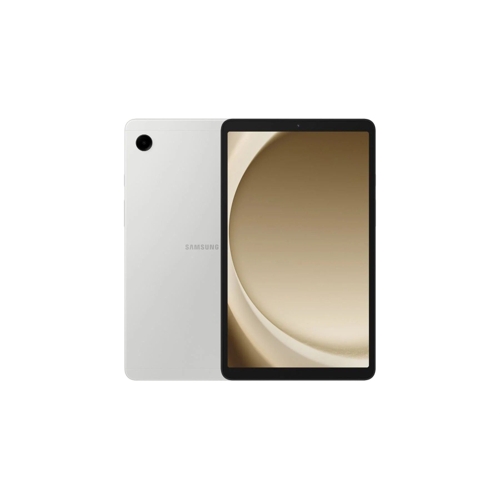
Samsung Galaxy Tab A9 - 128 GB - Grey



Best current price£199.99from OnBuy.com
Best offers
Shopping.co.uk recommended and popular offers
 OnBuy.com£199.99Visit shop
 Samsung Galaxy Tab A9 Gray Wifi 128Gb
Visit shopBest current price£199.99from OnBuy.com
Shopping.co.uk recommended and popular offers
OnBuy.com£199.99Visit shop Samsung Galaxy Tab A9 Gray Wifi 128Gb
Visit shop5 offers from £199.99 - £299.92
View price history by clicking the chart icon.
2 offers from £89.99 - £99.99
View price history by clicking the chart icon.

The Samsung Galaxy Tab A9 (8.3-inch, 128GB, Wi-Fi 5) is designed for users who value portable entertainment, secure data management, and efficient multitasking. With its vibrant display, immersive Dolby Atmos sound, and robust Samsung Knox security, it's an excellent companion for media consumption and daily tasks. While highly capable for its size and features, users should note this specific model is Wi-Fi only, requiring a wireless network for internet access.
| Colour | Grey |
|---|---|
| WiFi Standard | Wi-Fi 5 |
| Internal Storage Capacity | 128 GB |
| Operating System | Android |
| OS | Android |
| Display Size | 8.3 |
| Series | Galaxy Tab A9 |
| Model Part Number | SM-X110NZAEEUB |
| Brand | Samsung |
| Mobile Device Battery Capacity | 5100 mAh |
Yes, your Galaxy Tab A9 comes with 128 GB of internal storage, which can be expanded significantly by adding a microSD card of up to 1 TB.
This specific Samsung Galaxy Tab A9 model is Wi-Fi 5 only. It does not have cellular capabilities, so you'll need a Wi-Fi connection for internet access.
Samsung Knox is a built-in, defense-grade security platform that protects your data from malware and malicious threats. It also includes features like Secure Folder, parental controls, and a privacy dashboard for enhanced control over your device and data.
To use Multi Window, open an app, then tap the Recents button (typically a square icon or three vertical lines) at the bottom of the screen. Tap the app's icon at the top of its preview, and select 'Open in split screen view.' You can then choose a second app to open alongside it.
Absolutely. The 8.3-inch vibrant display, combined with a 90 Hz refresh rate for smooth visuals and Dolby Atmos stereo speakers for immersive sound, makes the Galaxy Tab A9 an excellent device for both video consumption and casual gaming.
The tablet is equipped with a 5100 mAh battery. Actual battery life will vary based on your usage patterns, such as screen brightness, Wi-Fi usage, and the types of applications you run.
Yes, you can mirror your tablet's screen to a compatible Samsung Smart TV using the SmartView feature, allowing you to enjoy your content on a larger display.
Ensure the tablet is charged. Connect it to the charger and wait at least 15-30 minutes before attempting to power it on again. Try a different charger or cable if available.
Restart your tablet and your Wi-Fi router. Ensure your tablet is within close proximity to your router. Check if other devices are experiencing similar Wi-Fi issues. You can also try forgetting the Wi-Fi network on your tablet and reconnecting.
Close all background apps. Clear the cache for the problematic app (Settings > Apps > [App Name] > Storage > Clear cache). Ensure both the app and your tablet's operating system are updated to the latest version. If the issue persists, consider reinstalling the app.
Close unused background apps. Clear cached data (Settings > Device care > Storage > Clean Now). Check for and install any available software updates. If internal storage is nearly full, consider moving files to an SD card or deleting unnecessary apps and data.
Delete unused apps and large files (photos, videos). Utilize cloud storage services for media. Transfer files to a computer or insert a microSD card (up to 1 TB) to expand storage.
