
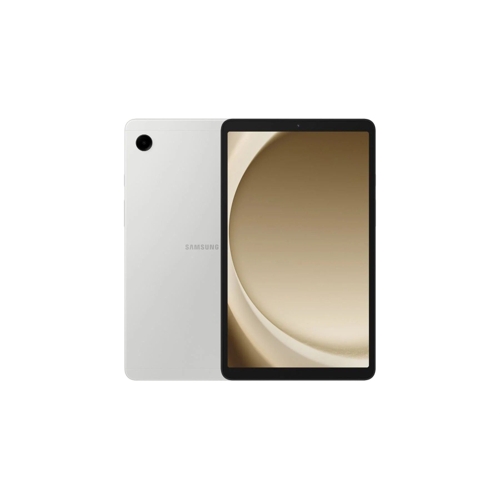
Samsung Galaxy Tab A9 - 128 GB - Wi-Fi - Android - Silver



Best current price£197.35from Clove Technology
Best offers
Shopping.co.uk recommended and popular offers
 Clove Technology£197.35Visit shop
 Samsung Silver Galaxy Tab A9
Visit shopBest current price£197.35from Clove Technology
Shopping.co.uk recommended and popular offers
Clove Technology£197.35Visit shop Samsung Silver Galaxy Tab A9
Visit shop1 offer from £197.35
View price history by clicking the chart icon.
The Samsung Galaxy Tab A9 is designed for users seeking a compact and reliable Android tablet for everyday tasks, media consumption, and light productivity. Its 8.3-inch HD+ display, Snapdragon 7 processor, and 128GB of storage offer a smooth experience for browsing, streaming, and app usage. While it provides ample space and performance for its class, it's important to note that this specific model is Wi-Fi only, meaning it does not support cellular data connectivity.
| Colour | Silver |
|---|---|
| Resolution | HD+ |
| RAM | 8 GB |
| Processor Family | Snapdragon 7 |
| WiFi Standard | Wi-Fi 5 |
| Internal Storage Capacity | 128 GB |
| Operating System | Android |
| OS | Android |
| Processor | Snapdragon |
| Device Network Connectivity | Wi-Fi |
| Display Size | 8.3 |
| Series | Galaxy Tab A9 |
| Model Part Number | SM-X110NZSEEUB |
| Brand | Samsung |
| Mobile Device Battery Capacity | 19.48 Wh |
The Samsung Galaxy Tab A9 features an 8.3-inch HD+ display, offering clear visuals for all your content.
This specific Samsung Galaxy Tab A9 model comes with 128 GB of internal storage, providing ample space for your apps, photos, and media.
No, this particular Samsung Galaxy Tab A9 model is Wi-Fi only and does not support cellular data connectivity. Internet access is available only when connected to a Wi-Fi network.
The Galaxy Tab A9 is powered by a Snapdragon 7 processor, ensuring smooth performance for everyday tasks and applications.
The Samsung Galaxy Tab A9 is equipped with a 19.48 Wh battery, designed to provide reliable power for your daily usage.
While many Samsung tablets support microSD card expansion, this specific product information does not explicitly state that the 8.3-inch Wi-Fi 128GB Galaxy Tab A9 supports it. It's recommended to consult the product's official specifications or user manual for definitive confirmation regarding expandable storage.
The Galaxy Tab A9, with its Snapdragon 7 processor and 8 GB of RAM, is well-suited for casual games and most popular mobile titles. For graphically intensive, high-performance gaming, dedicated gaming devices might offer a more optimized experience.
Ensure the tablet is charged by connecting it to the original charger for at least 15-30 minutes. If it still doesn't turn on, perform a forced restart by holding down the Volume Down button and the Power button simultaneously for about 7-10 seconds.
Restart your router and the tablet. Forget the Wi-Fi network on your tablet (`Settings > Connections > Wi-Fi`), then reconnect. Ensure your tablet is within range of your Wi-Fi router. If issues persist, check if your router's firmware is up to date.
Close background applications you're not using. Clear the cache of problematic apps via `Settings > Apps > [App Name] > Storage > Clear Cache`. If performance issues continue, restart the tablet. For persistent slowness, check your storage (`Settings > Battery and device care > Storage`) to ensure you have sufficient free space and consider uninstalling unused apps.
Adjust screen brightness, disable Wi-Fi when not in use, and restrict background data for certain apps. Check battery usage in `Settings > Battery and device care > Battery` to identify which apps are consuming the most power. Ensure your software is up to date, as updates often include battery optimizations.
Review and delete unnecessary files, photos, and videos. Uninstall apps you no longer use. Move large files to cloud storage services (like Google Drive) or transfer them to a computer. Some Android tablets support microSD card expansion, but this specific model's expansion capability is not explicitly stated, so rely on internal management and cloud services.