
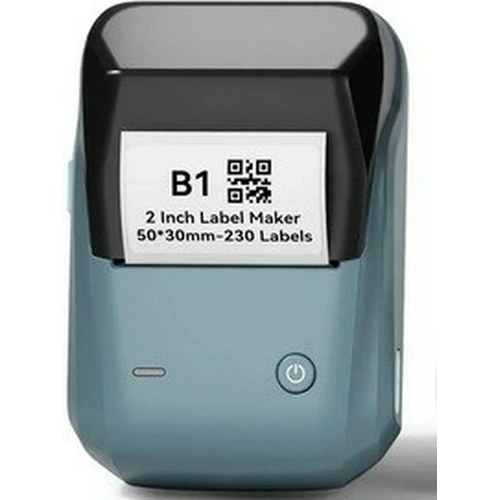
NIIMBOT B1 Label Printer - Space Blue
Best current price£26.99from B&Q
Best offers
Shopping.co.uk recommended and popular offers
 B&Q£26.99Visit shop
B&Q - B1 Bluetooth Thermal Label Printer With Starter Roll Space Blue
Visit shopBest current price£26.99from B&Q
Shopping.co.uk recommended and popular offers
B&Q£26.99Visit shop B&Q - B1 Bluetooth Thermal Label Printer With Starter Roll Space Blue
Visit shop3 offers from £26.99
View price history by clicking the chart icon.


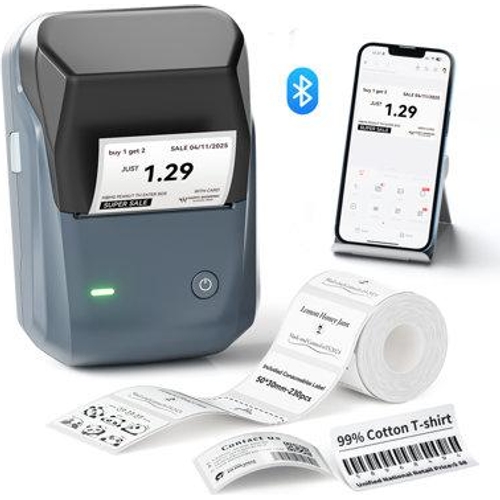
The NIIMBOT B1 Label Printer is designed for homeowners, office organizers, and small business owners who require a versatile, portable solution for professional-grade labeling. By utilizing advanced thermal printing technology, it eliminates recurring costs associated with ink and toner while offering seamless smartphone integration through a dedicated app. While the device excels at creating customized, durable labels, users should note that it is strictly limited to thermal-compatible label rolls and cannot print on standard paper or other media.
| Model Part Number | 1560223 |
|---|---|
| Brand | NIIMBOT |
No, it uses thermal printing technology, which prints by applying heat to specially coated thermal labels.
For optimal print quality and to avoid jamming the print head, it is recommended to use authentic NIIMBOT label rolls.
Yes, the NIIMBOT app is available for both iOS and Android platforms.
Within the NIIMBOT app, select the 'Barcode' or 'QR Code' tool, enter your data, and the app will format it automatically for printing.
The 1500 mAh battery provides up to 100 days of standby time, though actual usage time will vary based on print frequency.
The labels are water and tear-resistant, making them suitable for many environments, though they should not be submerged in water or placed in direct, intense sunlight.
Ensure the printer is turned on, move the smartphone within 5 feet, and toggle Bluetooth off/on in your phone settings.
Check that the label roll is installed with the printable side facing down toward the print head.
Use a cotton swab with a small amount of isopropyl alcohol to gently clean the thermal print head.
To begin using your NIIMBOT B1, charge the device fully using the included cable. Download the NIIMBOT app on your smartphone, turn on Bluetooth, and pair the printer via the app interface. Load the thermal label roll into the compartment, ensuring the leading edge is correctly positioned at the feed slot.
For maintenance, keep the print head clean of adhesive residue by using a soft, dry cloth. Store the unit in a cool, dry place and avoid exposing the thermal labels to direct sunlight or extreme heat for prolonged periods, as this can cause the thermal sensitive paper to fade over time.
 Bond It Silicone Ultra Waterseal - 5LFrom £20
 Hive Smart Thermostat - WhiteFrom £73
 DMD Mini Tumble Dryer - 3kg CapacityFrom £140
 Brother P-Touch Labelling Machine - PT-E720BTFrom £150
 Master Lock Wall Mounted Key Safe - 5481EURDFrom £25
 Silentnight Wellbeing Collection Weighted Blanket - GreyFrom £45
 NETTA 5L Mini Fridge - BlackFrom £35
 SCRUBB Algae Remover - GreenFrom £21
 Miniml Washing Up Liquid - Apple Orchard 5LFrom £13
 Belkin BoostCharge Pro Powerbank - BlackFrom £70
 Sage A Bit More 2 Slice Toaster - Silver - BTA720UKFrom £78
 Volden White Multi-Purpose Pva Adhesive 5L - WhiteFrom £15