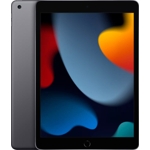
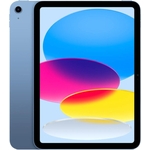
Apple iPad Pro 5th Gen - 12.9in - 2 TB - Wi-Fi + Cellular
Not Available
Currently unavailable
Currently unavailable
The Apple iPad Pro 5th Gen 12.9-inch with 2 TB storage and Wi-Fi + Cellular (5G) connectivity is designed for professionals and power users seeking unparalleled performance and a stunning visual experience on the go. Powered by the M1 chip and featuring a Liquid Retina XDR display, it excels in demanding tasks like video editing and graphic design, though its advanced features and large storage capacity might be more than casual users require.
| Colour | Grey |
|---|---|
| Processor Family | Apple M1 |
| WiFi Standard | Wi-Fi 6 |
| Internal Storage Capacity | 2 TB |
| Network Generation | 5G |
| Operating System | iOS |
| OS | iPadOS |
| Processor | Apple M |
| Device Network Connectivity | Wi-Fi + Cellular |
| Display Size | 12.9 |
| Series | Pro (5th generation) |
| Model Part Number | MHRD3B/A |
| Mobile Device Battery Capacity | 40.88 Wh |
| Brand | Apple |
The M1 chip provides desktop-class performance, significantly boosting speed for demanding applications, multitasking, and graphic-intensive tasks while maintaining excellent power efficiency for all-day battery life.
It means you get an exceptionally vibrant and detailed display with incredible contrast, high brightness, and wide color support, making it ideal for viewing and editing HDR photos/videos and enjoying high-quality entertainment.
Yes, thanks to the Thunderbolt port, you can connect to external displays, including up to a 6K resolution monitor like the Apple Pro Display XDR, for an expanded workspace.
5G provides significantly faster download and upload speeds, lower latency, and more reliable connections in compatible areas, enhancing online gaming, streaming, and remote work.
The LiDAR Scanner precisely measures light distance to create depth maps of environments, greatly enhancing augmented reality (AR) applications for more immersive experiences in gaming, design, and measurement tools.
Yes, Face ID is engineered for secure authentication, allowing you to unlock your iPad, log into apps, and authorize purchases with a glance, reducing the need to remember passwords.
The Thunderbolt port is highly versatile, allowing connection to high-performance accessories such as external SSDs for fast storage, docks, and professional displays, using either Thunderbolt or USB-C cables.
First, ensure you have an active 5G data plan with your mobile service provider and that you are in an area with 5G coverage. Check your iPad's cellular settings to ensure 5G is enabled. If problems persist, try restarting your iPad or contacting your service provider.
Ensure your face is unobstructed and you are holding the iPad at a natural distance. Clean the front camera and sensor area to remove any smudges or dirt. If the issue continues, try resetting Face ID in `Settings > Face ID & Passcode` and setting it up again.
Close unnecessary background applications by swiping up from the bottom of the screen and swiping apps away. Restarting your iPad can often resolve temporary performance issues. Ensure your iPadOS is up to date in `Settings > General > Software Update`.
Ensure the accessory is compatible with iPadOS and Thunderbolt/USB-C. Try disconnecting and reconnecting the accessory. If using a hub, try connecting the accessory directly to the iPad. Ensure your iPadOS is updated, as some accessory support may be added in updates.
Check your brightness settings in Control Center or `Settings > Display & Brightness`. Ensure 'True Tone' is enabled for automatic white balance adjustment and 'Night Shift' is not active, as these can affect color temperature. If viewing HDR content, ensure the content source supports HDR.