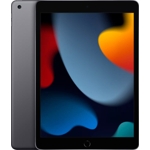
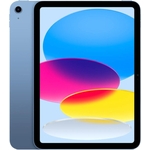
Tablet Apple iPad Pro 11" M1 128 GB Grey - Wi-Fi 6
Not Available
Currently unavailable
Currently unavailable
The Apple iPad Pro 11" M1 is designed for professionals, creatives, and power users seeking unparalleled performance and a premium tablet experience. Its key benefit is the groundbreaking M1 chip, offering desktop-class speed for demanding tasks. A potential caveat is its professional-grade pricing, which may be a consideration for casual users. This device features a stunning 11-inch Liquid Retina display, 128 GB of storage, and fast Wi-Fi 6 connectivity, running on the intuitive iPadOS.
| Colour | Grey |
|---|---|
| Processor Family | Apple M1 |
| WiFi Standard | Wi-Fi 6 |
| Internal Storage Capacity | 128 GB |
| OS | iPadOS |
| Processor | Apple M |
| Device Network Connectivity | Wi-Fi |
| Display Size | 11 |
| Series | Pro (5th generation) |
| Model Part Number | MHQR3FD/A |
| Mobile Device Battery Capacity | 28.65 Wh |
| Brand | Apple |
The M1 chip provides desktop-class performance, significantly boosting speed for CPU and graphics-intensive tasks, enabling more complex workflows and a smoother overall experience compared to previous iPad models.
Yes, the 11-inch iPad Pro (5th generation) is compatible with the Apple Pencil (2nd generation), which magnetically attaches and wirelessly pairs for charging.
Centre Stage is a feature that uses the Ultra Wide camera and machine learning to automatically keep you perfectly framed during video calls. It pans and zooms as you move or as others join/leave the call.
It features a Thunderbolt / USB 4 port, which is the fastest and most versatile port available on an iPad, supporting high-speed data transfer, external displays, and a wide range of accessories.
This model connects via Wi-Fi 6 (802.11ax). Ensure you are within range of a compatible Wi-Fi network for internet access.
The iPad Pro offers up to 10 hours of battery life for web browsing or video playback over Wi-Fi, thanks to the power efficiency of the M1 chip and the Lithium Polymer battery.
No, this specific model (MHQR3FD/A) is Wi-Fi only and does not support cellular data connections. Cellular models are available separately.
Ensure the device is charged. Connect it to the included USB-C cable and power adapter for at least 15 minutes. If the issue persists, try a force restart by quickly pressing and releasing the Volume Up button, then quickly pressing and releasing the Volume Down button, and finally pressing and holding the top button until the Apple logo appears.
Close unused apps running in the background. Restart your iPad Pro. Ensure your iPadOS is up to date. Check if the app itself requires an update. For persistent issues, consider resetting settings or restoring the device.
Toggle Wi-Fi off and on. Restart your iPad Pro and your Wi-Fi router. Forget the Wi-Fi network and reconnect. Ensure you are within range of your Wi-Fi router and that the network is functioning correctly.
Ensure the TrueDepth camera area is clean and unobstructed. Make sure your face is properly aligned within the frame during setup. Try resetting Face ID in Settings and setting it up again. Ensure you are running a compatible iPadOS version.
Check your internet connection (Wi-Fi or cellular data). Ensure you have enough free storage space. Sign out of your Apple ID in Settings and sign back in. Restart your iPad Pro.
Setup:
Compatibility:
Care: