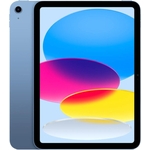
Apple iPad - 11 inch - 128 GB - Wi-Fi + Cellular - Silver

Experience powerful performance with the Apple iPad featuring an 11-inch display with a resolution...

Currently unavailable

Display Size
Colour
Processor Family
Internal Storage Capacity

Currently out of stock

This product is not available at the moment. Check back later or explore other options below.

Similar alternatives

Product Information

Full details

The Apple iPad 11-inch with the A16 chip is designed for users who need a versatile, portable powerhouse for professional creative tasks, academic study, and high-end mobile gaming. It provides a premium Liquid Retina display and cellular connectivity for seamless on-the-go productivity; however, note that it requires additional investments in accessories like the Apple Pencil or external keyboards to unlock its full potential.

All features

ColourSilver
Processor FamilyApple A16
WiFi StandardWi-Fi 6
Internal Storage Capacity128 GB
Operating SystemiOS
OSiPadOS
ProcessorApple A
Device Network ConnectivityWi-Fi + Cellular
Display Size11
SeriesiPad
Model Part NumberMD7F4HC/A
BrandLenovo

Extended Product Information

FAQs

Does this iPad support a physical SIM card?

This model utilizes eSIM technology for its cellular capabilities rather than a traditional physical SIM card.

Can I use this as a second monitor for my Mac?

Yes, through the Sidecar feature, you can wirelessly extend or mirror your Mac display to the iPad.

How do I scan documents using this iPad?

Open the Notes app, create a new note, tap the Camera icon, and select Scan Documents to use the built-in rear camera.

Is the iPad waterproof?

No, the iPad is not rated as waterproof. Please keep it away from liquids and high-moisture environments.

Can I connect a game controller to it?

Yes, you can pair compatible PlayStation or Xbox controllers via Bluetooth to enjoy a console-like gaming experience.

Does the 128GB storage support external memory?

While it does not have a card reader, you can connect external storage devices via the USB-C port to manage your files using the Files app.

Troubleshooting

iPad is running slowly or apps are crashing

Check for iPadOS updates in Settings, close background apps, or perform a force restart.

Cellular connection is not working

Verify that your eSIM is active in the Cellular settings menu and ensure you are in a supported network coverage area.

Apple Pencil not responding

Ensure the Pencil is properly charged and paired via Bluetooth settings.

Pros and Cons

Pros

  • Powerful A16 processor handles heavy multitasking effortlessly
  • Stunning Liquid Retina display with excellent color accuracy
  • Versatile connectivity options including 5G for mobile freedom
  • Portable and lightweight design at only 481g
  • Broad app ecosystem optimized for iPadOS

Cons

  • Does not include Apple Pencil or keyboard in the box
  • Requires an eSIM for cellular data plans
  • High performance requires frequent software updates to maintain efficiency

Setup, Compatibility & Care

To begin, power on your iPad and follow the on-screen prompts to connect to Wi-Fi and sign in with your Apple ID. If you intend to use the cellular features, ensure you have your eSIM details ready from your mobile provider.

Compatibility: This model is compatible with current Mac OS versions, allowing for easy data synchronization and features like Sidecar, which lets you use your iPad as a secondary display for your computer.

Care: The device features an oleophobic coating to resist fingerprints. Clean the screen only with a soft, lint-free cloth. Avoid harsh chemicals or abrasive materials. To preserve the battery longevity, try to keep the device within its operating temperature range of 0 to 35 °C.