
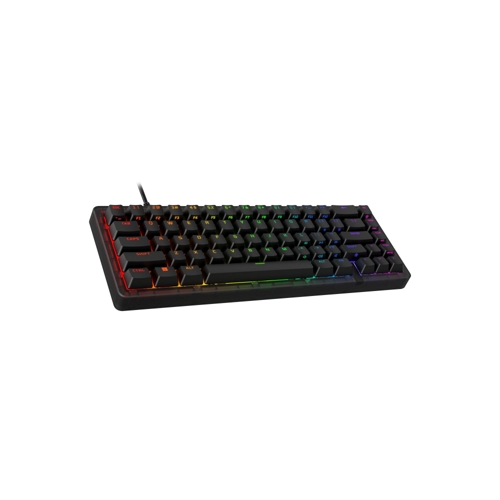
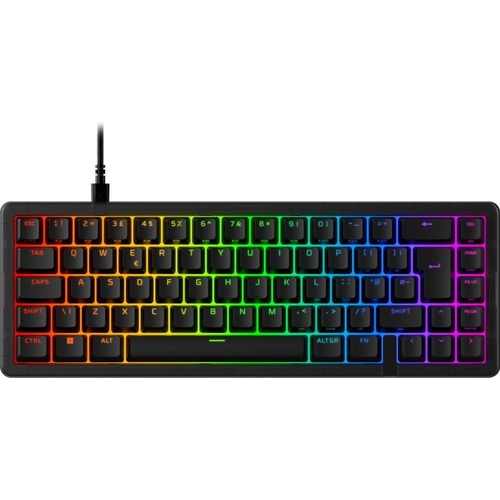
HyperX Origins 2 65 Mechanical Gaming Keyboard - Black
Best current price£99.99from Currys
Best offers
Shopping.co.uk recommended and popular offers
 Currys£99.99Visit shop
 Hyperx Origins 2 65 Rgb Mechanical Gaming Keyboard - Black, Black
Visit shopBest current price£99.99from Currys
Shopping.co.uk recommended and popular offers
Currys£99.99Visit shop Hyperx Origins 2 65 Rgb Mechanical Gaming Keyboard - Black, Black
Visit shop1 offer from £99.99
View price history by clicking the chart icon.
The HyperX Origins 2 65 is a compact, high-performance mechanical gaming keyboard tailored for enthusiasts who prioritize desk space and deep customization. It offers an ultra-responsive 8k polling rate and a modular design that supports hot-swapping switches, making it an excellent choice for gamers who want a personalized typing feel without the need for soldering. However, users should be aware that the compact 65% layout sacrifices some dedicated keys found on full-sized boards, which may require a learning curve for productivity-heavy tasks.
| Colour | Black |
|---|---|
| Model Part Number | 763886 |
| Brand | HyperX |
Yes, the keyboard features universal hot-swap sockets compatible with most 3-pin and 5-pin mechanical switches.
Yes, the Origins 2 65 is compatible with PC, PS5, and Xbox Series consoles.
No, the hot-swap sockets allow you to install or replace switches by simply plugging them in.
An 8k polling rate communicates with your PC at 8000Hz, which minimizes input latency for a more responsive gaming experience.
Yes, the HyperX Linear Red switches come factory-lubed for smoother actuation and improved sound.
The Origins 2 65 supports a drop-in assembly design that allows for replacing the outer housing to change your desk aesthetic.
Ensure the keyboard is plugged directly into a USB port on your PC and check that you are running the latest version of the NGENUITY software.
If the key is hot-swappable, remove the switch carefully using a puller and check if any pins are bent. Re-seat the switch firmly.
Open NGENUITY and ensure your profile is saved to one of the three available onboard profile slots, then switch to that profile using the keyboard shortcuts.
Setting up your Origins 2 65 is straightforward: simply plug the keyboard into your PC, PS5, or Xbox Series console via the USB connection. To unlock the full potential of the keyboard, download the HyperX NGENUITY software to manage your RGB lighting, remap keys, and save up to three unique profiles.
For maintenance, the hot-swap design makes cleaning simple. Use a keycap puller to remove caps and a switch puller to remove the mechanical switches if you need to perform a deep clean of the plate or housing. Keep the keyboard away from liquid spills, and use compressed air to blow out any dust from the switch sockets periodically to ensure consistent electrical connectivity.
 Lofree 1% Mechanical Keyboard - WhiteFrom £168
 SteelSeries Apex 9 TKL - BlackFrom £95
 Logitech MK370 Combo for Business - GreyFrom £32
 ASUS TUF Gaming K1 RGB Keyboard - BlackFrom £39
 MSI Vigor GK30 Combo - BlackFrom £50
 Living and Home Wired Retro Typewriter Mechanical Keyboard - 104 Keys - PinkFrom £33
 HP 495K Multi-Device Dual-Mode Keyboard - BlackFrom £33
 Fillis Stirrup Treads - 12cm - Agrihealth - 611501-12From £5
 Dell KB500 Wireless Keyboard - Black - 2021From £23
 Dell KB740 Compact Wireless Keyboard - Titan GreyFrom £33
 Refurbished Microsoft Wired Keyboard 600 - BlackFrom £20
 Stanley Surform Fine Cut Blade - 5-21-398From £4