
Playstation DualSense Wireless Controller - Blue

Best current price£69.99from very.co.uk
Best offers
Shopping.co.uk recommended and popular offers
 very.co.uk£69.99Visit shop
 Playstation Playstation 5 Dualsense Wireless Controller
Visit shopBest current price£69.99from very.co.uk
Shopping.co.uk recommended and popular offers
very.co.uk£69.99Visit shop Playstation Playstation 5 Dualsense Wireless Controller
Visit shop4 offers from £69.99 - £72.95
View price history by clicking the chart icon.

The Playstation DualSense Wireless Controller in Blue is designed for gamers seeking a more immersive experience on PlayStation consoles and compatible PC/mobile devices. Its key benefit is the advanced haptic feedback and adaptive triggers that provide physical, responsive feedback to in-game actions. A caveat to consider is that the full immersive features are best experienced with titles specifically designed to utilize them.
| Colour | Blue |
|---|---|
| Series | DualSense |
| Model Part Number | 711719600305 |
| Brand | Playstation |
Yes, the DualSense controller can be used with a PS4, but some advanced features like adaptive triggers may not be supported by all PS4 games. It connects wirelessly via Bluetooth or wired via USB.
On PS5, firmware updates are typically handled automatically through system software updates. On PC, you may need to use the PlayStation Accessories app for Windows to check for and install updates.
The wireless range is comparable to standard Bluetooth devices, generally around 30 feet (10 meters) in an open space. Obstacles like walls can reduce this range.
Battery life varies significantly based on usage, particularly with haptic feedback and adaptive triggers enabled at higher intensities. Expect anywhere from 6-12 hours on a single charge.
No, the color of the controller does not affect its performance or functionality. It is purely an aesthetic choice.
You can connect a headset to the 3.5mm jack, which will typically mute the built-in microphone. Check your specific device's audio settings for how it handles combined audio input/output.
Ensure the controller is charged. Try resetting the controller by pressing and holding the small reset button on the back with a paperclip for 5 seconds. Re-pair via Bluetooth or USB cable.
Verify that the game you are playing supports these features. Check the controller's settings on your console or PC software to ensure they are enabled and not set to minimum levels.
Reduce the intensity of haptic feedback and adaptive triggers in the controller settings. Ensure the controller is fully charged before use. Consider using a wired connection for extended play.
Ensure you are using a compatible USB Type-C cable. Update your PC's Bluetooth drivers if connecting wirelessly. Try launching the game through Steam, which often provides better controller support.
Check if the microphone is muted using the dedicated mute button. Ensure the correct audio input device is selected in your console or PC settings. Test with a headset connected to the 3.5mm jack.
Setup:
Compatibility:
Care:
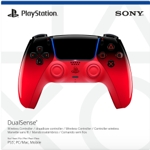 DualSense Wireless Controller - RedFrom £63
 PlayStation Console Covers - Rhythm BlueFrom £63
 DualSense Wireless Controller - GreenFrom £63
 DualSense Wireless Controller - Chroma TealFrom £54
 Playstation 5 Dualsense Wireless Controller - RedFrom £54
 Sony DualSense Wireless Controller - Galactic PurpleFrom £63
 Playstation DualSense Wireless Controller - YellowFrom £75
 Sony DualSense Wireless Controller - Fortnite Edition - MulticolorFrom £86
 KontrolFreek Precision Sports Thumbsticks - Football Edition - PS5/PS4From £15
 DualSense Wireless Controller - Sterling Silver - PlaystationFrom £50
 PlayStation 5 DualSense Wireless Controller - WhiteFrom £60
 Sony DualSense Wireless Controller - BlackFrom £58