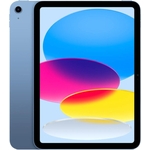
Samsung Galaxy Tab A11+ - 11" - 128 GB - Wi-Fi - Grey

Galaxy Tab A11+ moves with your family’s day from work to play and every moment between. Its brigh...

Currently unavailable

Colour
Internal Storage Capacity

Currently out of stock

This product is not available at the moment. Check back later or explore other options below.

Similar alternatives

Product Information

Full details

The Samsung Galaxy Tab A11+ is designed for busy households and students who need a versatile, reliable tablet that balances work, study, and entertainment. Featuring a crisp 11-inch display and smooth multitasking capabilities, it serves as an excellent all-purpose device for everyday digital tasks; however, users should note that this specific model is limited to Wi-Fi connectivity and does not support cellular data networks.

All features

ColourGrey
Internal Storage Capacity128 GB
Operating SystemAndroid
OSAndroid
Device Network ConnectivityWi-Fi
Display Size11
SeriesGalaxy Tab A11+
Model Part NumberSM-X230NZAIXAR
BrandSamsung

Extended Product Information

FAQs

Does this tablet support expandable storage?

Yes, the Galaxy Tab A11+ supports expandable storage, allowing you to add more space for your files and media.

Can I use cellular data with this model?

No, this specific model (SM-X230NZAIXAR) is designed for Wi-Fi connectivity only.

Is this tablet suitable for schoolwork?

Yes, its 11-inch screen and multitasking capabilities make it highly effective for research, reading, and document creation.

What operating system does it use?

The Galaxy Tab A11+ runs on the Android operating system.

Can I connect a keyboard or mouse to this tablet?

Yes, you can connect compatible Bluetooth keyboards and mice to enhance your productivity.

Troubleshooting

Tablet is running slow after installing many apps

Clear the app cache in Settings or uninstall unused applications to free up system resources.

Wi-Fi connection is dropping frequently

Restart your router and the tablet; ensure the tablet is within a reasonable range of the access point.

Device battery is draining faster than expected

Lower screen brightness, disable background refresh for unused apps, and check for software updates.

Pros and Cons

Pros

  • Large and clear 11-inch screen ideal for media consumption
  • Reliable performance for everyday productivity apps
  • Flexible storage options via expandable memory
  • Generous battery life suited for daily household use

Cons

  • No cellular connectivity (Wi-Fi only)
  • Not intended for heavy-duty professional video editing or gaming
  • Limited to standard tablet form factor without included keyboard

Setup, Compatibility & Care

Setting up the Galaxy Tab A11+ is straightforward: upon power-on, follow the on-screen Android prompts to connect to your local Wi-Fi network and sign in with a Google account to synchronize your apps and data. For care, ensure the display is kept clean using a dry microfiber cloth to avoid smudges. To maximize the longevity of your battery, avoid extreme heat and try to keep the charge level between 20% and 80% when stored for long periods. Given the tablet's size, it is recommended to pair the device with a protective case to prevent accidental screen cracks.