Setup, Compatibility & Care
Setup:
- Unpack the laptop and connect the power adapter.
- Press the power button to turn on the device.
- Follow the on-screen prompts to complete the initial Windows setup, including language selection, network connection, and account setup.
- Install any available driver and software updates from Dell's support website to ensure optimal performance.
Compatibility:
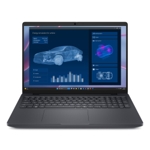
The DELL Pro Max 18 Plus MB18250 runs on Windows and is compatible with a wide range of software applications, including professional creative suites, development tools, and office productivity software. It supports standard peripherals via its various ports (ensure specific port types are checked based on your peripherals).
Care:
- Cleaning: Use a soft, dry, lint-free cloth to clean the screen and exterior. For tougher smudges, lightly dampen the cloth with water or a screen-safe cleaner. Avoid spraying liquids directly onto the device.
- Ventilation: Ensure the laptop's ventilation ports are unobstructed to prevent overheating. Avoid using the laptop on soft surfaces like beds or carpets for extended periods.
- Battery Care: Avoid frequently draining the battery to 0%. Utilize power management settings to optimize battery life.


 eBay£3,495.35Visit shop