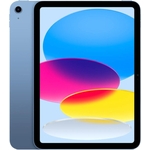
Xiaomi Pad 7 Pro - Blue - 512 GB
Not Available
Currently unavailable
Currently unavailable
The Xiaomi Pad 7 Pro, in its striking blue finish and featuring a massive **512 GB internal storage**, is designed for users seeking a powerful and versatile Android tablet. It's a key tool for enhancing both productivity and entertainment, offering a seamless user experience, though specific advanced technical specifications beyond storage and OS are not detailed here.
| Colour | Blue |
|---|---|
| Internal Storage Capacity | 512 GB |
| Operating System | Android |
| OS | Android |
| Series | Pad 7 Pro |
| Brand | Xiaomi |
It runs on the latest Android operating system, providing a familiar and feature-rich experience.
This specific Xiaomi Pad 7 Pro comes with a massive 512 GB of internal storage, offering significant space for your data.
The product description does not specify an expandable storage slot (e.g., microSD). It's best to rely on the generous 512 GB internal storage or cloud solutions for additional capacity.
Yes, with its powerful Pro series capabilities and the latest Android operating system, it is designed to handle graphic-intensive games, making it suitable for entertainment.
Gently wipe the screen and body with a soft, lint-free cloth. For smudges, a slightly damp cloth with water or a dedicated screen cleaner is recommended. Avoid harsh chemicals.
Yes, being an Android tablet, it supports a wide range of Bluetooth accessories such as keyboards, mice, and headphones for enhanced productivity or entertainment.
Specific battery capacity and estimated battery life are not provided in this product description. Actual battery life will vary based on usage patterns and settings.
Ensure the tablet is fully charged. Connect it to the charger and wait a few minutes before attempting to power it on again. If it still doesn't respond, try holding the power button for 10-15 seconds for a force restart.
Clear the cache for the problematic app via `Settings > Apps > [App Name] > Storage & cache > Clear cache`. Ensure your Android OS and all apps are updated to their latest versions via the Google Play Store and `Settings > About tablet > System update`.
Even with ample space, large files can accumulate. Check `Settings > Storage` to identify space-consuming apps and files. Consider uninstalling unused apps or moving large media files to cloud storage.
Restart your Wi-Fi router and the Xiaomi Pad 7 Pro. Go to `Settings > Network & internet > Internet`, forget your Wi-Fi network, then reconnect. Ensure your Wi-Fi network name and password are correct.
Setup:
Compatibility:
Your Xiaomi Pad 7 Pro, running on the Android operating system, is compatible with millions of applications available on the Google Play Store. It supports standard Android file formats and can connect to a wide range of Bluetooth accessories like keyboards, mice, and headphones.
Care: