
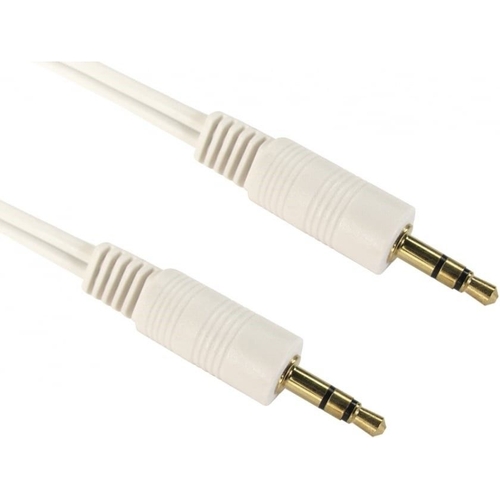
Kenable 3.5mm Stereo Jack Cable - White - 10M
Best current price£8.59from eBay
Best offers
Shopping.co.uk recommended and popular offers
 eBay£8.59Visit shop
 Cables Direct 2TT-01 1m Stereo 3.5mm Jack to Jack Aux Audio Cable Lead
Visit shopBest current price£8.59from eBay
Shopping.co.uk recommended and popular offers
eBay£8.59Visit shop Cables Direct 2TT-01 1m Stereo 3.5mm Jack to Jack Aux Audio Cable Lead
Visit shop5 offers from £8.59 - £16.79
View price history by clicking the chart icon.

This 10-meter, white 3.5mm stereo audio cable from Cables Direct is designed for users needing to connect audio sources like CD players or PCs to input jacks on other devices, such as monitors or speakers. Its primary benefit is providing a reliable, corrosion-resistant connection with gold-plated contacts for clear audio transmission. A potential caveat is its standard range quality, which may not suit highly critical audio applications.
| Colour | White |
|---|---|
| Model Part Number | 2TT-10WHT |
| Brand | Cables Direct |
This is a stereo audio cable, meaning it carries two channels of audio (left and right) for stereo sound reproduction.
While it uses a 3.5mm jack, this cable is designed for stereo audio output/input (like headphone jacks) and is generally not suitable for microphone inputs, which often require mono signals or different connector types (like TRRS for some mobile devices).
Gently wipe the connectors with a clean, dry, lint-free cloth. Avoid using abrasive materials or liquids, as this could damage the gold plating.
The product description does not specify shielding. For standard audio applications, it should perform adequately, but in areas with high electromagnetic interference, unshielded cables might pick up noise.
The primary difference is the color of the cable jacket. Functionally, they are identical 3.5mm stereo audio cables. The white version is often chosen for aesthetic reasons or to stand out against dark backgrounds.
Yes, it can be used. A mono signal from the source will be sent through both the left and right channels of the stereo cable. You will only hear the mono signal in stereo if the destination device is capable of processing it as such.
Ensure both 3.5mm connectors are fully inserted into their respective jacks. Check that the audio source is set to output through the correct port and that the destination device's volume is turned up. Try the cable with different devices to rule out a faulty port on one of the devices.
Verify that the cable is not damaged or excessively bent. Ensure the connectors are clean and free of debris. If the issue persists, the problem might be with the audio source, destination device, or interference; try a different cable or reposition the devices.
Inspect the cable jacket for any tears or breaks and check the connectors for bent pins. If damage is found, the cable should be replaced to ensure safe and reliable operation.
Setup: Simply plug one 3.5mm male connector into the audio source's output jack (e.g., headphone jack) and the other 3.5mm male connector into the destination device's input jack (e.g., line-in, auxiliary). Ensure both devices are powered on and the audio source is set to output audio.
Compatibility: This cable is compatible with any device featuring a standard 3.5mm audio input or output jack, including smartphones, tablets, laptops, desktops, MP3 players, portable CD players, car stereos with auxiliary input, and powered speakers.
Care: To maintain optimal performance, avoid sharp bends or kinks in the cable. Keep connectors clean by gently wiping them with a dry cloth. Store the cable loosely coiled when not in use to prevent damage to the internal wiring. Avoid exposing the cable to excessive moisture or extreme temperatures.