
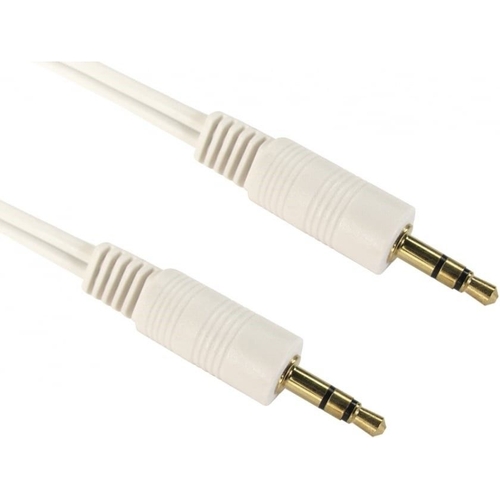
Cables Direct audio cable - 0.2m - White
Best current price£8.59from eBay
Best offers
Shopping.co.uk recommended and popular offers
 eBay£8.59Visit shop
 Cables Direct 2TT-01 1m Stereo 3.5mm Jack to Jack Aux Audio Cable Lead
Visit shopBest current price£8.59from eBay
Shopping.co.uk recommended and popular offers
eBay£8.59Visit shop Cables Direct 2TT-01 1m Stereo 3.5mm Jack to Jack Aux Audio Cable Lead
Visit shop11 offers from £8.59 - £11.57
View price history by clicking the chart icon.
This Cables Direct 3.5mm to 3.5mm audio cable is designed for users needing to connect audio devices with standard 3.5mm TRS ports. Its key benefit is providing a high-quality, stable audio connection thanks to gold-plated connectors. A potential limitation is its short 0.2m length, which may not be suitable for all setups. This cable features gold connectors for superior signal integrity and anti-corrosion properties, a white jacket for visibility or specific aesthetic needs, and male connectors on both ends for a direct link between compatible audio equipment.
| Colour | White |
|---|---|
| Model Part Number | 2TT-01-02WHT |
| Brand | Cables Direct |
This cable uses two 3.5mm Male TRS (Tip-Ring-Sleeve) connectors. These are commonly referred to as headphone jacks or aux connectors.
'M/M' stands for Male to Male, indicating that both connectors on the cable are male plugs.
Gold plating offers superior conductivity for a cleaner audio signal and provides excellent resistance to corrosion, ensuring a more reliable connection over time.
While it uses a 3.5mm TRS connector, this cable is designed for stereo audio output/input. For microphone use, a different type of cable with the appropriate connector (e.g., TS or TRRS) and impedance might be required.
The 0.2m length is ideal for very short, direct connections. If your devices are placed further apart, you will need a longer cable, such as the Cables Direct 3.5mm to 3.5mm M/M 3m or 5m options.
Gently wipe the gold-plated connectors with a clean, dry, soft cloth. Avoid using liquids or abrasive materials, as this could damage the plating or the connector itself.
Yes, provided your phone has a 3.5mm audio output jack. Many newer smartphones do not have this jack and require an adapter.
Ensure both ends of the cable are securely plugged into the correct ports. Try a different audio source or output device to isolate the issue. Check that the cable is not damaged. Clean the gold connectors gently with a dry cloth.
Verify that the cable is fully inserted into the ports. If distortion persists, the cable may be damaged or the connectors may need cleaning. Ensure the volume levels on both devices are set appropriately.
This may indicate wear on the device's port or the cable's connector. Ensure you are using the correct 3.5mm jack. For a temporary fix, try gently wiggling the connector to establish a better connection, but consider replacing the cable if the issue is consistent.
Setup
Connecting the cable is straightforward: simply plug one 3.5mm male connector into the audio output port of your source device (e.g., smartphone, laptop) and the other 3.5mm male connector into the audio input port of your destination device (e.g., speakers, amplifier).
Compatibility
This cable is compatible with any audio devices featuring standard 3.5mm TRS (Tip-Ring-Sleeve) stereo audio ports. This includes most smartphones, tablets, laptops, MP3 players, car stereos with aux-in, and powered speakers.
Care Instructions
To maintain optimal performance and longevity:
