
Panasonic TV - 55" 4K Ultra HD - Black


Best current price£499.99from Hughes
Best offers
Shopping.co.uk recommended and popular offers
 Hughes£499.99Visit shop
 Panasonic 55 Inch 4K Ultra HD LED Smart TV TB55W61AEYC with HDR
Visit shopBest current price£499.99from Hughes
Shopping.co.uk recommended and popular offers
Hughes£499.99Visit shop Panasonic 55 Inch 4K Ultra HD LED Smart TV TB55W61AEYC with HDR
Visit shop1 offer from £499.99
View price history by clicking the chart icon.
This guide is for anyone looking to maximize their experience with the Panasonic 55" 4K Ultra HD Smart TV (model TB-55W61AEY). Enjoy stunning picture quality and immersive sound thanks to features like 4K Colour Engine, Dolby Vision, and Dolby Atmos. While the TV offers a wealth of features, users should be aware of the energy consumption to manage their usage effectively. This guide covers setup, features, troubleshooting, and more to help you get the most out of your new TV.
| Colour | Black |
|---|---|
| Energy Efficiency | G |
| Display Type | 4K Ultra HD |
| Series | W61A |
| Model Part Number | TB-55W61AEY |
| Brand | Panasonic |
Use the HDMI, USB, or other available ports on the back or side of the TV. Select the correct input source in the TV settings.
Go to the TV settings menu, and select 'System' or 'Support'. Then, select 'Software Update' or a similar option.
Press the voice control button on your remote and speak your commands. Make sure you are connected to the internet.
Yes, go to the Bluetooth settings and pair your device.
Game Mode Plus reduces input lag for smoother gameplay, making it ideal for gaming.
In the settings menu, go to 'System' or 'Support', and select 'Factory Reset'. Note: this will erase all your settings.
The TV comes with a standard manufacturer's warranty. Please refer to your documentation for specific details.
Adjust the picture settings in the TV's menu. Try different picture modes like 'Cinema' or 'Sports' to suit your viewing content.
Check the power cable and outlet. Ensure the power switch is turned on.
Check the HDMI cable connections. If using an antenna, rescan for channels.
Check the volume settings and the audio output settings. Make sure no external speakers are muted.
Check your Wi-Fi router. Verify your network password and move the TV closer to the router.
Ensure the TV's software is up to date and restart the app. Try restarting the TV.
Setup:
Compatibility:
Care:
 Panasonic 65" W61A 4K Ultra HD TV - BlackFrom £600
 Panasonic W61A 50" 4K Ultra HD Smart TV - BlackFrom £400
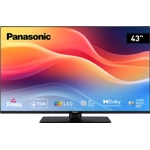 Panasonic W61A - 43" 4K Ultra HD - BlackFrom £300
 MSI PRO MP243W E14 - 23" - Full HD - WhiteFrom £83
 LG 27" UltraFine Monitor - White - 4K Ultra HDFrom £215
 MSI PRO MP271 E14A Monitor - 27" Full HDFrom £78
 Toshiba Smart TV - 32" HD Ready - BlackFrom £129
 TCL 65 Inch 4K Ultra HD HDR Smart Fire TV - PF650K - SilverFrom £455
 DELL E Series E2725HM Computer Monitor - 27" Full HD - BlackFrom £94
 Lenovo Idea Tab Pro - 128 GB - 8 GB - Wi-Fi 6E - Android - GreyFrom £287
 HP Series 5 Pro Monitor - 23 inch - Full HD - BlackFrom £130
 Yealink MeetingBoard 65" - BlackFrom £2241