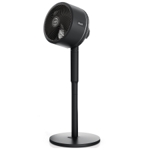
Status 12" Oscillating Desktop Fan - Bronze
Not Available
Not Available
Currently unavailable
Currently unavailable
This guide helps you understand and use the Status 12" Oscillating Desktop Fan - Bronze effectively. Ideal for those seeking a stylish and portable cooling solution for small spaces, this fan offers customizable airflow with three speeds and oscillation. However, it's important to note that this fan is not suitable for use in bathrooms. This guide covers key features, usage, care, and troubleshooting to help you get the most out of your fan.
| Colour | Bronze |
|---|---|
| Model Part Number | CR222 |
| Brand | Status |
Unplug the fan and wipe it down with a soft, damp cloth. Make sure it's dry before using it again.
The fan uses a standard UK plug.
No, this fan is not suitable for use in bathrooms.
Use the tilting function to adjust the airflow direction.
The fan has three speed settings.
The power cable is 1.8 meters long.
The fan is 12 inches in size.
Check that the fan is plugged into a working power outlet and that the power switch is in the 'on' position.
Ensure that the oscillation function is enabled via the control panel.
Unplug the fan and check for any obstructions in the blades. Clean the blades if necessary.
Select a higher speed setting using the control panel.
The fan is compatible with standard UK power outlets (240V).