Setup, Compatibility & Care
Setup
- Connect to TV: Use the included HDMI cable to connect the soundbar's HDMI input to your TV's HDMI ARC/eARC port. Alternatively, connect using an optical cable.
- Power On: Plug in the soundbar and the subwoofer to power outlets and turn them on.
- Network Connection: Connect the soundbar to your Wi-Fi network through the setup menu.
- Audio Settings: Adjust your TV's audio output settings to output audio to the soundbar.
Compatibility
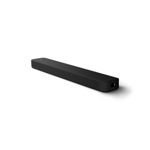
The Sony HT-A3000 is compatible with:
- TVs with HDMI ARC/eARC or Optical output.
- Devices with Bluetooth, Wi-Fi, and Chromecast capabilities.
- Voice assistants like Google Assistant and Alexa.
Care
- Cleaning: Use a soft, dry cloth to clean the exterior. Avoid using liquid cleaners.
- Placement: Ensure the soundbar is placed in front of your TV, ideally centered and unobstructed.
- Ventilation: Allow adequate space around the soundbar for ventilation to prevent overheating.



 Fenwick UK£329.00Visit shop
  Sony£399.00Visit shop