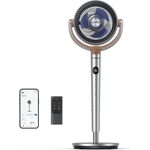
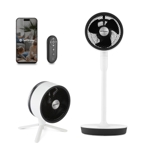
Stay cool in the office, yard and even on holiday! The Duux Rize is a portable beauty that works a...Stay cool in the office, yard and even on holiday! The Duux Rize is a portable beauty that works as a table or floor fan. Rize is quiet enough for your desk and light enough to pack, so you can ensure that however hot your holiday gets, you’ll be able to fall asleep with a cooling breeze. Oscillate & tilts function .
Duux Rize Personal Wireless Fan - 4 Variable Cooling Speeds, Telescopic Extendable Tube To Transform From Desk Fan To Standing Fan, Up To 15 Hours Battery, Usb-C, Charcoal
JoybuyDuux Rize Personal Wireless Fan - 4 Variable Cooling Speeds, Telescopic Extendable Tube To Transform From Desk Fan To Standing Fan, Up To 15 Hours Battery, Usb-C, Charcoal
Duux Rize Personal Wireless Fan - 4 Variable Cooling Speeds, Telescopic Extendable Tube To Transform From Desk Fan To Standing Fan, Up To 15 Hours Battery, Usb-C, CharcoalFree delivery in 1–3 days£79.99Visit shop →
Joybuy UKDuux Rize Personal Wireless Fan - 4 Variable Cooling Speeds, Telescopic Extendable Tube To Transform From Desk Fan To Standing Fan, Up To 15 Hours Battery, Usb-C, Charcoal
The Duux Rize Desk Fan in Grey is designed for anyone needing portable and effective cooling, whether at the office, home, or while traveling. Its key benefit is providing a comfortable breeze in various environments due to its portability and quiet operation. However, note that it's designed for personal cooling and may not effectively cool large spaces. Key features include oscillation, tilt function, and compact design.
All features
Colour
Grey
Model Part Number
Dxcf90Uk
Brand
Duux
Extended Product Information
FAQs
How do I clean the fan?
Unplug the fan and wipe the exterior with a slightly damp cloth. Avoid getting water inside the motor. Clean the fan blades regularly to remove dust.
Can I use this fan in a humid environment?
Yes, but ensure the fan is not directly exposed to excessive moisture. The fan should be stored in a dry place when not in use.
What is the warranty period?
Warranty information is not available in the product data.
How do I control the fan speed?
The fan speed is usually controlled by buttons or a dial located on the fan base. Refer to the product manual for specific instructions.
Troubleshooting
Fan not turning on.
Check the power cord and ensure it is securely plugged into both the fan and the power outlet. Test the outlet with another device to ensure it is functioning.
Fan not oscillating.
Check the oscillation button or setting to ensure it is turned on. If the issue persists, inspect the fan for any obstructions that might prevent the oscillation.
Pros and Cons
Pros
Portable and easy to move around.
Quiet operation suitable for various settings.
Offers both oscillation and tilt functions for optimal airflow.
Compact design that fits well on desks and tables.
Cons
May not effectively cool large spaces.
Limited to personal cooling.
Requires access to a power source.
Setup, Compatibility & Care
Setup: Simply plug the fan into a standard power outlet. There are usually buttons or a dial to control the fan speed and oscillation.
Compatibility: The fan is compatible with standard household power outlets.
Care: To clean, unplug the fan and use a slightly damp cloth to wipe down the exterior. Avoid getting the motor wet. Regularly check and clean the fan blades to maintain optimal airflow. Ensure the fan is stored in a dry place when not in use.