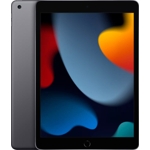
Amazon Fire HD Pro 8" Kids Tablet - 32 GB, Android, Wi-Fi 5
Not Available
Not Available
Not Available
Currently unavailable
Currently unavailable
The Fire HD 8 Kids Pro tablet is designed for children aged 6-12, offering a safe and engaging digital experience. Its key strength lies in its comprehensive parental controls, allowing guardians to manage content, set time limits, and approve activities, ensuring a secure environment for learning and entertainment. While it provides access to a vast library of age-appropriate content through Amazon Kids+, parents should be aware that active management through the Parent Dashboard is key to maximizing its benefits and tailoring the experience to their child's needs.
| Colour | Grey |
|---|---|
| WiFi Standard | Wi-Fi 5 |
| Internal Storage Capacity | 32 GB |
| Operating System | Android |
| OS | Android |
| Series | Fire HD |
| Model Part Number | B0CVDQP2FK |
| Brand | Amazon |
Yes, the tablet includes a 1-year subscription to Amazon Kids+. After this period, a paid subscription is required to continue accessing the full ad-free library.
Yes, parents can download apps from the Amazon Appstore. Any app not part of the Kids+ library will require parental approval for download and can then be added to a child's profile via the Parent Dashboard.
The tablet comes with a durable kid-proof case and features aluminosilicate glass, designed to protect against typical drops, bumps, and spills encountered during everyday use by children.
The Fire HD 8 Kids Pro tablet offers up to 12.4 to 13 hours of battery life with mixed use, depending on activities like reading, video playback, and gaming.
The tablet supports video calls to pre-approved trusted contacts. It does not support traditional cellular phone calls.
You can expand the storage up to 1 TB by purchasing and inserting a compatible microSD card into the tablet's microSD card slot.
The tablet includes a 2-year worry-free guarantee. If it breaks during this period, Amazon will replace it for free.
Ensure the tablet is fully charged. Connect it to the power adapter and wait a few minutes, then try pressing and holding the power button for 20-30 seconds. Try a different power outlet or charging cable to rule out a faulty connection.
Close background apps. Go to Settings > Device Options > Apps & Games > Manage All Applications to force stop or uninstall unused apps. Clear app cache (Settings > Storage > Clear Cache) or restart the tablet. Ensure there is enough free storage space.
Reduce screen brightness, disable Wi-Fi when not needed, close unused apps, and limit background data usage. Check for app updates that might be more power-efficient. If the issue persists, a factory reset might be necessary after backing up important data.
Check the Parent Dashboard settings for the child's profile. Ensure the content or app is approved, and that time limits or age filters are not preventing access. You may need to manually add content to their library or adjust age range settings.
Restart your Wi-Fi router and the tablet. Forget the Wi-Fi network on the tablet and reconnect. Ensure the tablet is within range of the Wi-Fi signal. Check if other devices can connect to the same network.