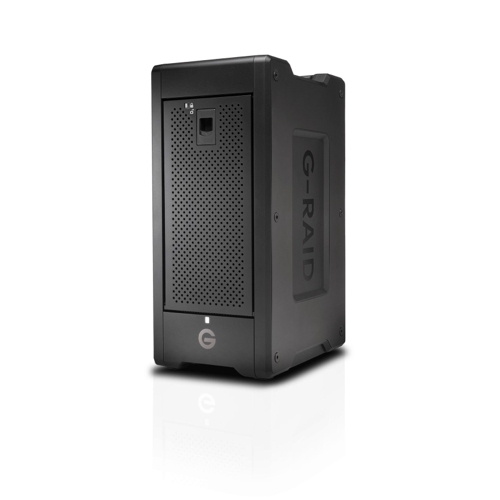
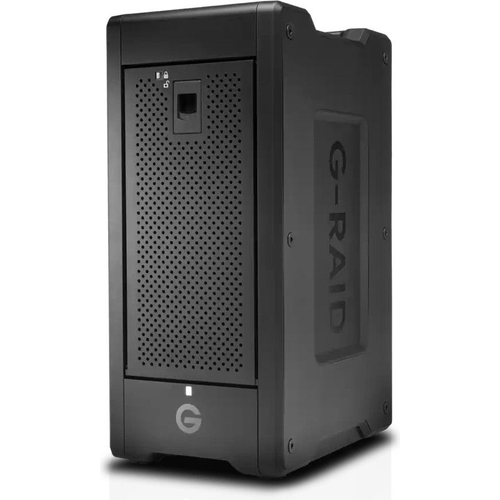
SanDisk Professional G-RAID SHUTTLE 8 - 48TB - SDPH48H-048T-MBAAB
A transportable 8-bay hardware RAID solution with Thunderbolt™ 3 (40Gbps) and USB-C™ (10Gbps) comp...A transportable 8-bay hardware RAID solution with Thunderbolt™ 3 (40Gbps) and USB-C™ (10Gbps) compatibility offering content professionals up to 208TB1 of colossal capacity and high-powered performance for consolidated backup, super-fast access, and real-time video editing. Supports multi-stream 4K, 8K, and VR workflows, RAID 0, 1, 5, 6, 10, 50, and 60 configurations, and provides transfer rates up to 1700MB/s read and 1500MB/s write2 in default RAID 5 (208TB model only). Along with Ultrastar enterprise-class hard drives inside for enhanced reliability and a trusted 5-year limited warranty, the G-RAID SHUTTLE 8 is the ultimate storage solution for demanding video workflows on location and in the studio. This device offers a 48TB capacity and features 8 bays for storage expansion.
!BOXED! G-RAID SHUTTLE 8 144TB RAID ARRAY DAS 8 X 18TB HDD WD DC560Free delivery in 1–3 days£2,400.00Visit shop →
!BOXED! G-RAID SHUTTLE 8 144TB RAID ARRAY DAS 8 X 18TB HDD WD DC560Free delivery in 1–3 days£2,400.00Visit shop →
G-RAID SHUTTLE 8 - 160 (8 x 20TB HDD Ultrastar DC HC560) - SDPH48H-160T-MBAABFree delivery in 1–3 days£2,500.00Visit shop →
!BOXED! G-RAID SHUTTLE 8 192TB RAID ARRAY DAS 8 X 24TB HDD WD DC560Free delivery in 1–3 days£3,264.00Visit shop →
G-RAID SHUTTLE 8 192TB RAID ARRAY SDPH48H-192T-MBAAB DAS 8 X 24TB HDD WD DC560Free delivery in 1–3 days£3,264.00Visit shop →
Product Information
Full details
The SanDisk Professional G-RAID SHUTTLE 8 is designed for content creators needing a high-capacity, high-performance storage solution. Offering up to 48TB of storage with fast transfer speeds, it excels in demanding video workflows. A key advantage is its hardware RAID, providing both performance and data redundancy. However, users should note that the device's performance depends on the RAID configuration chosen.
All features
Model Part Number
SDPH48H-048T-MBAAB
Brand
SanDisk
Extended Product Information
FAQs
What RAID levels are supported?
The G-RAID SHUTTLE 8 supports RAID 0, 1, 5, 6, 10, 50, and 60.
What is the warranty period?
The G-RAID SHUTTLE 8 comes with a 5-year limited warranty.
Can I use this device with both Mac and Windows?
Yes, the G-RAID SHUTTLE 8 is compatible with both Mac and Windows operating systems. Formatting the drive with exFAT will allow it to be used on both platforms.
How do I change the RAID configuration?
You can change the RAID configuration using the included software utility. Consult the user manual for detailed instructions.
What type of hard drives are used in this device?
The G-RAID SHUTTLE 8 uses removable Ultrastar enterprise-class hard drives.
What are the transfer speeds?
It offers up to 1900MB/s read and 2000MB/s write speeds.
How many devices can I daisy-chain?
You can daisy-chain up to 5 additional devices.
What is the USB Power Delivery (PD) capability?
It supports up to 85 watts of USB Power Delivery through the USB-C port.
Troubleshooting
Device not recognized by computer.
Check the cable connection, try a different Thunderbolt 3 or USB-C port, and ensure the device is powered on. Update drivers if necessary.
Slow transfer speeds.
Verify the connection type (Thunderbolt 3 is recommended), check the RAID configuration, and ensure the drive has sufficient free space. Consider defragmenting the drive if using an older file system.
Device overheating.
Ensure adequate ventilation, and avoid placing the device in direct sunlight. If the issue persists, contact SanDisk support.
Data loss or corruption.
If data loss occurs, try data recovery software. Regular backups are highly recommended to prevent data loss. Contact SanDisk support for further assistance.
Pros and Cons
Pros
High capacity ideal for large media files and projects.
Fast transfer speeds streamline workflows and reduce wait times.
Hardware RAID provides flexibility in performance and data protection.
Durable enterprise-class hard drives ensure reliability.
Daisy-chaining expands connectivity options.
USB Power Delivery simplifies charging for compatible devices.
Cons
Performance varies depending on RAID configuration.
Initial setup and RAID configuration may require technical knowledge.
The 48TB capacity may not be sufficient for very large projects or long-term archiving needs.
Higher initial cost compared to some external storage solutions.
Requires a power connection to operate.
Setup, Compatibility & Care
Connecting the Device: Connect the G-RAID SHUTTLE 8 to your computer using the included Thunderbolt 3 or USB-C cable. Connect the power cable and turn on the device.
Compatibility: It is compatible with Mac and Windows operating systems. Ensure your system meets the minimum system requirements for optimal performance.
RAID Configuration: The device comes ready to go in RAID 5. Use the software utility to configure RAID settings according to your needs, considering the balance between performance and data redundancy.
Formatting: Format the drive using a compatible file system (e.g., APFS for Mac, NTFS or exFAT for cross-platform use) to ensure optimal performance and compatibility with your system.
Care Instructions:
Place the device in a well-ventilated area to prevent overheating.
Avoid exposure to extreme temperatures and direct sunlight.
Handle the device with care to prevent physical damage.
Regularly check the drive's health using the manufacturer's utility software.
Clean the exterior with a dry, soft cloth. Do not use liquids or abrasive cleaners.

 Wex Photo Video£3,499.00Visit shop
