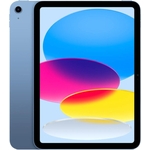
Entity G12 Pro Tablet - 12.4 Inch - Grey - 128 GB Storage - Android
Not Available
Not Available
Currently unavailable
Currently unavailable
The Entity G12 Pro is a versatile Android tablet designed for users seeking a high-quality display and performance for both work and entertainment. With its vibrant 2.5K AMOLED display, included keyboard, and powerful processor, it's ideal for students, professionals, and media consumers. However, users should note that while the tablet offers extensive features, it is not waterproof.
| Colour | Grey |
|---|---|
| Resolution | 2K Ultra HD |
| RAM | 8 GB |
| Processor Family | Snapdragon 7 |
| WiFi Standard | Wi-Fi 5 |
| Internal Storage Capacity | 128 GB |
| Operating System | Android |
| OS | Android |
| Processor | Snapdragon |
| Device Network Connectivity | Wi-Fi |
| Display Size | 12.4 |
| Series | G12 Pro |
| Model Part Number | G12 PRO 12.6-INCH 2.5K OLED TABLET + KEYBOARD |
| Mobile Device Battery Capacity | 10000 mAh |
| Brand | Entity |
The screen resolution is 2500 x 1600 pixels, providing a 2.5K display.
It runs on Android 14.
Yes, a magnetic keyboard is included in the package.
The battery capacity is 10000 mAh.
It has 128GB of internal storage, which can be expanded using a microSD card.
Yes, a stylus pen is included in the box.
The warranty period is 2 years.
Ensure the tablet is charged. Press and hold the power button for 10-15 seconds. If it still doesn't turn on, try a different charger.
Make sure Wi-Fi is enabled in the settings. Check your router and ensure you have a stable internet connection. Restart your tablet and router.
Ensure the keyboard is properly connected to the tablet via the magnetic connector. Check the keyboard's battery level. Restart the tablet.
Close the app and restart it. Clear the app's cache and data in settings. Ensure you have the latest version of the app installed. Restart the tablet.
Close unused apps. Clear cache and data from apps. Ensure you have sufficient storage space. Restart the tablet.
The Entity G12 Pro is compatible with: