
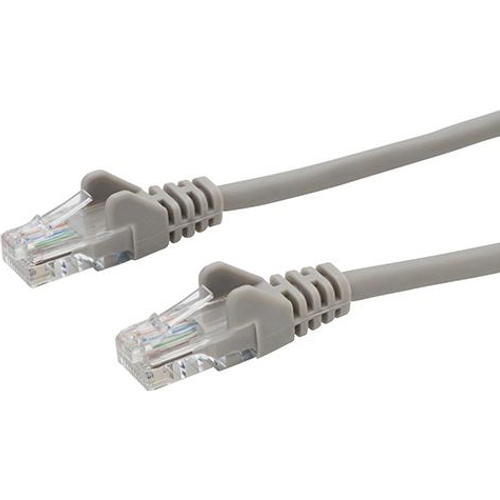
connektgear CAT5e Network Cable - 30m - Grey

Best current price£11.15from eBay
Best offers
Shopping.co.uk recommended and popular offers
 eBay£11.15Visit shop
 Group Gear Connektgear 30M Category 5E Network Cable for Network Device Printer
Visit shopBest current price£11.15from eBay
Shopping.co.uk recommended and popular offers
eBay£11.15Visit shop Group Gear Connektgear 30M Category 5E Network Cable for Network Device Printer
Visit shop2 offers from £11.15 - £11.72
View price history by clicking the chart icon.

The Connektgear CAT5e 30m network cable is designed for users in home or office environments requiring a reliable, long-distance wired connection for computers, printers, and smart TVs. It offers excellent durability through its snagless, flush-moulded design, making it an ideal choice for organized cabling setups. Please note that while it is highly durable and versatile, it is limited to a data transfer speed of up to 100Mbps, which may be a bottleneck for extremely high-bandwidth applications compared to newer CAT6 or CAT8 standards.
| Series | CAT5e |
|---|---|
| Model Part Number | 28-0300G |
| Brand | connektgear |
This cable is designed for reliable connectivity up to 100Mbps. For Gigabit networking, we recommend looking at our CAT6 product series.
No, this cable is designed for indoor use. The PVC jacket is not rated for exposure to direct sunlight or harsh weather conditions.
The snagless feature refers to the protective housing over the connector clip, which prevents it from catching on other cables or getting snapped off during installation.
It is U/UTP (Unshielded Twisted Pair), which is standard for home and office environments where there is minimal electrical interference.
Yes, as it uses 24AWG stranded conductors, it can be terminated with standard RJ45 plugs if you have the appropriate crimping tools.
Ensure both ends of the cable are fully clicked into the RJ45 ports. Try a different port on the router or device to rule out hardware issues.
Check the cable for excessive kinks or physical damage. Ensure it is not running parallel to heavy electrical appliances that could cause interference.
Inspect the snagless boot to ensure it isn't obstructed. Ensure no debris is inside the RJ45 port of the host device.
Installation is straightforward: simply plug the RJ45 male connector into any standard Ethernet port on your device, switch, or router. You will hear a distinct click when the snagless tab is properly secured.
To ensure the longevity of your cable: