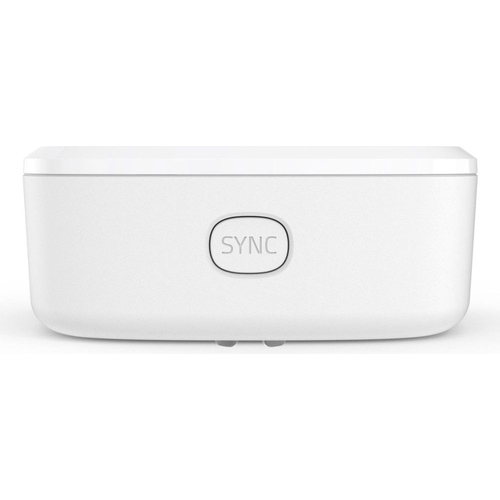
An additional Eufy home alarm system motion sensor for 100deg coverage, with a 30 foot detection r...An additional Eufy home alarm system motion sensor for 100deg coverage, with a 30 foot detection range and adjustable sensitivity (HomeBase required). This motion sensor provides up to 2 years of power for round-the-clock security. It detects motion within a 100deg field of view up to 30 feet away, ensuring an entire room is covered. The sensitivity can be adjusted to only alert when humans are in range, preventing false alarms from pets. Receive app alerts as soon as motion is detected, sending a message to your phone via the Eufy Security app. This sensor connects to Eufy Security HomeBase (not included) and all other Eufy Security products by pairing through the Eufy Security app and pressing the button on the sensor. Please note: this motion sensor is not waterproof.
This guide helps you understand and effectively use the Eufy Security Motion Sensor (T8910021). Designed for Eufy home security system users, it provides enhanced motion detection, alerting you to potential threats. A key benefit is the adjustable sensitivity that reduces false alarms from pets. However, the sensor requires a Eufy HomeBase (not included) to function.
All features
Model Part Number
T8910021
Brand
Eufy
Extended Product Information
FAQs
How far away can the sensor detect motion?
The sensor has a detection range of up to 30 feet.
Can I use this sensor outdoors?
No, the motion sensor is not waterproof and is intended for indoor use only.
How do I adjust the sensitivity?
You can adjust the sensitivity through the Eufy Security app. This allows you to filter out smaller movements, such as those caused by pets.
How long does the battery last?
The sensor's battery life is up to 2 years.
What happens when the battery runs out?
You will receive a notification via the Eufy Security app when the battery is low. You will need to replace the battery.
Does this sensor work with other Eufy devices?
Yes, it integrates with other Eufy Security devices through the HomeBase and the Eufy Security app.
How do I reset the sensor?
There is no reset button. Removing the battery and reinserting it might help resolve some connection issues. Otherwise, refer to the Eufy Security app for troubleshooting steps.
Troubleshooting
Sensor not detecting motion.
Check the sensor's placement, battery life, and sensitivity settings. Ensure the HomeBase is online and within range.
Receiving too many false alarms.
Adjust the sensitivity settings to reduce false alarms triggered by pets or environmental factors.
Sensor won't connect to HomeBase.
Ensure the HomeBase is powered on and connected to your Wi-Fi. Bring the sensor closer to the HomeBase during pairing.
App notifications not working.
Check that notifications are enabled in the Eufy Security app and on your phone. Ensure the HomeBase has a stable internet connection.
Pros and Cons
Pros
Wide coverage area for comprehensive monitoring.
Adjustable sensitivity minimizes false alarms.
Long battery life reduces maintenance needs.
Wireless connectivity enables flexible placement.
Easy integration with the Eufy Security app.
Provides peace of mind with instant alerts.
Cons
Requires a Eufy HomeBase to operate.
Not waterproof, limiting outdoor use.
May experience interference depending on the environment.
Battery replacement needed every two years.
Requires Wi-Fi connectivity.
Detection range may vary based on environmental factors.
Setup, Compatibility & Care
Setup
HomeBase Connection: Ensure your Eufy HomeBase is set up and connected to your Wi-Fi network.
Pairing: Open the Eufy Security app. Follow the in-app instructions to add a new device.
Sensor Activation: Press the button on the motion sensor to initiate pairing with the HomeBase.
Placement: Mount the sensor on a wall, ensuring it has a clear view of the area you want to monitor.
Testing: Test the sensor by walking through its detection range to verify proper functionality.
Compatibility
HomeBase: Requires a Eufy HomeBase (not included).
Eufy Security App: Compatible with iOS and Android devices.
Wi-Fi: Requires a 2.4 GHz Wi-Fi network.
Care
Cleaning: Use a dry or slightly damp cloth to clean the sensor. Avoid using harsh chemicals or solvents.
Battery Replacement: Replace the batteries every two years or when the app indicates low battery.


 Freemans£19.99Visit shop
  Currys£24.99Visit shop


