
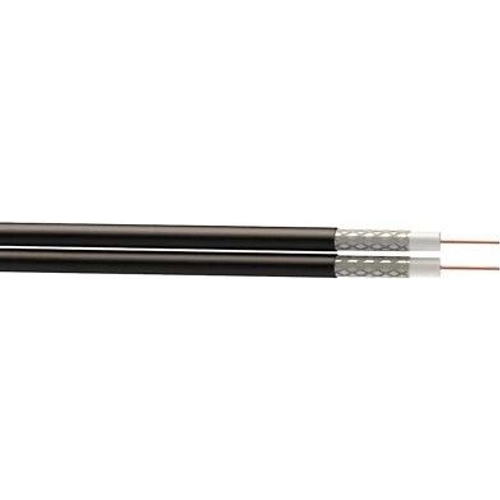
Time Satellite Cable - Brown - 25M
Best current price£9.00from B&Q
Best offers
Shopping.co.uk recommended and popular offers
 B&Q£9.00Visit shop
 B&Q - Brown Copper Satellite Cable25M
Visit shopBest current price£9.00from B&Q
Shopping.co.uk recommended and popular offers
B&Q£9.00Visit shop B&Q - Brown Copper Satellite Cable25M
Visit shop1 offer from £9.00
View price history by clicking the chart icon.
The Time Satellite Cable is an ideal connectivity solution for homeowners and technicians looking to establish a reliable signal path for television, satellite, and computer network equipment. This 25-meter cable offers excellent signal integrity through its insulated central conductor design, which actively minimizes electrical and radio frequency interference. While it provides significant reach and versatility, users should note that the cable is best suited for indoor or protected runs, as it lacks heavy-duty outdoor weather-shielding ratings.
| Colour | Brown |
|---|---|
| Brand | Time |
This cable is primarily designed for indoor use. While it may withstand brief exposure, it is not rated for long-term outdoor weather or direct burial.
Yes, you can cut the cable to your desired length, but you will need to purchase and install a new F-type connector using a crimping tool.
Yes, the high-quality insulation and conductive material are designed to handle high-bandwidth signals, including 4K video transmissions.
The cable is typically provided ready-to-use with standard connectors for immediate setup.
Yes, as long as your modem uses a standard F-type coax connection for its input, this cable will work for network data signals.
Check that both ends of the cable are tightened securely and ensure there are no sharp kinks or bends in the cable path.
Verify that the cable is not running parallel to high-voltage power lines for a long distance and ensure the connectors are fully seated.
Hand-tighten the connector clockwise onto the device port. If the connector continues to wiggle, ensure the threads on the device port are not stripped.
To set up the cable, ensure you have the appropriate F-type connectors for your devices. Simply thread the connector onto the port and tighten firmly by hand; avoid using pliers to prevent over-tightening. When installing, avoid bending the cable at sharp 90-degree angles, as tight kinks can damage the central conductor and impair signal quality. Use cable clips to secure the cord along baseboards for a clean look. Periodically check the connection points at both ends to ensure they remain tight and free of dust, which can accumulate over time and impact connectivity.