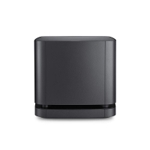
NETGEAR Orbi 860 Series Tri-Band WiFi 6 Mesh System - 10 Gig Port
Experience superior, whole-home WiFi with the NETGEAR Orbi 860 Series Tri-Band WiFi 6 Mesh System....Experience superior, whole-home WiFi with the NETGEAR Orbi 860 Series Tri-Band WiFi 6 Mesh System. This system offers speeds up to 6Gbps and coverage for up to 8,000 sq. ft., ensuring a fast and reliable connection in every room, including your yards. The 10 Gig internet port is designed to handle the fastest internet speeds available today and in the future. Its upgraded, patented antenna design provides a 20% boost in WiFi coverage and performance compared to previous generations. The unique Tri-Band technology with a dedicated backhaul ensures maximum speeds for up to 100 connected devices simultaneously. Enhance your network's security with NETGEAR Armor software, which provides an automatic shield against hackers and includes a 1-year subscription for real-time protection and added privacy with VPN. This system is compatible with any internet service provider. Setup is simple with the Orbi app, allowing you to manage your network from anywhere. Additionally, you can protect your investment with NETGEAR ProSupport for 24/7 priority tech support, accidental damage coverage, and express replacement.
NETGEAR Orbi Wall Mount Kit RBKWM-10000S£4.49 delivery£18.99Visit shop →
NETGEAR Orbi 870 Series WiFi 7 Mesh System, Add-on SatelliteFree delivery in 1–3 days£499.00Visit shop →
NETGEAR Orbi 870 Series WiFi 7 Mesh System, Add-on SatelliteFree delivery in 1–3 days£499.00Visit shop →
NETGEAR Orbi 870 Series WiFi 7 Mesh System, Add-on SatelliteFree delivery in 1–3 days£499.00Visit shop →
NETGEAR Orbi 870 Series WiFi 7 Mesh System, Add-on SatelliteFree delivery in 1–3 days£499.00Visit shop →
NETGEAR Orbi Mesh WiFI System (RBK852) - WiFi 6 Router with 1 Satellite Extender - Coverage 4,000 sq ft and 100 DevicesFree delivery in 1–3 days£511.83Visit shop →
NETGEAR Orbi Mesh WiFI System (RBK852) - WiFi 6 Router with 1 Satellite Extender - Coverage 4,000 sq ft and 100 DevicesFree delivery in 1–3 days£511.83Visit shop →
NETGEAR Orbi Mesh WiFi 6 System (RBK763S), Mesh Router & 2 Extenders, Cover Every Room, Up To 6,000 Sq Ft, Improve WiFi Speeds up to 5.4 Gbps & 75 devices, Simple App Set UpFree delivery in 1–3 days£599.99Visit shop →
NETGEAR Orbi Mesh WiFi 6 System (RBK763S), Mesh Router & 2 Extenders, Cover Every Room, Up To 6,000 Sq Ft, Improve WiFi Speeds up to 5.4 Gbps & 75 devices, Simple App Set UpFree delivery in 1–3 days£599.99Visit shop →
Box.co.ukNetgear Size 6 White Orbi Rbk763s Tri-Band Wi-Fi Mesh System
Netgear Size 6 Black Orbi 860 Series Tri-Band Wifi Upto 6Gbps Mesh System 10 Gig Port With 1-Year Armor Included - Pack Of 3Free delivery in 1–3 days£564.99Visit shop →
Netgear Size 6 Black Rbke963b Orbi Ax11000 Quad-Band Wi-Fi 6E Router ( & 2 Extenders)Free delivery in 1–3 days£909.99Visit shop →
Laptop OutletNetgear White Orbi Rbk763s Tri-Band Wi-Fi 6 Mesh System
Netgear Black Orbi 860 Series Tri-Band Wifi 6 Upto 6Gbps Mesh System 10 Gig Port With 1-Year Armor Included - Pack Of 3Free delivery in 1–3 days£564.99Visit shop →
Netgear Black Rbke963b Orbi Ax11000 Quad-Band Wi-Fi 6E Router ( & 2 Extenders)Free delivery in 1–3 days£909.99Visit shop →
Power supply adapter cable ONLY NETGEAR Orbi RBS850 RBR850 12V 3.5A (not bundle)Free delivery in 1–3 days£24.29Visit shop →
Netgear Orbi RBK853 AX6000 Tri-band WiFi 6 Mesh System 6Gbps Router 2 SatellitesFree delivery in 1–3 days£420.00Visit shop →
Product Information
Full details
The NETGEAR Orbi 860 Series Tri-Band WiFi 6 Mesh System is designed for homes needing high-speed, reliable WiFi across a large area, including the yard. Its key benefit is providing speeds up to 6Gbps and coverage up to 8,000 sq. ft, ensuring seamless connectivity for numerous devices. Note that to achieve maximum speeds, your internet plan and devices must support WiFi 6.
All features
Model Part Number
RBK863SB-100EUS
Brand
Netgear
Extended Product Information
FAQs
How do I update the Orbi firmware?
Open the Orbi app and go to settings. Firmware updates are usually found under 'Advanced' or 'Administration'.
What is the range of the Orbi 860 Series?
It can cover up to 8,000 sq. ft, but this can vary based on environmental factors.
How many devices can the Orbi 860 Series support?
It can support up to 100 connected devices simultaneously.
Can I use the Orbi 860 Series with my existing modem?
Yes, it is compatible with any internet service provider's equipment.
What security features does the Orbi 860 Series offer?
It includes NETGEAR Armor, which provides real-time protection against hackers and malware, as well as VPN functionality.
What is the 10 Gig internet port for?
It is designed to handle the fastest internet speeds available today and in the future.
How do I reset my Orbi system to factory settings?
Use a paperclip to press the reset button on the back of the router for about 10 seconds.
Troubleshooting
Poor WiFi performance or slow speeds.
Ensure the router and satellites are placed in optimal locations. Check for interference from other electronic devices. Restart the Orbi system and your modem.
Devices cannot connect to the network.
Verify the network name and password. Ensure that the device is within range of the router or a satellite. Restart the device and the Orbi system.
Orbi app is not working.
Ensure the app is the latest version. Restart the app. Check your internet connection.
Coverage dead zones.
Reposition the satellites to better distribute the WiFi signal. Ensure the satellites are not too far from the main router or each other. Consider adding additional satellites if necessary.
Pros and Cons
Pros
Extremely fast speeds and large coverage area.
Handles numerous connected devices without performance drops.
Includes a 10 Gig internet port for future-proofing.
Enhanced security with NETGEAR Armor.
Simple setup and management via the Orbi app.
Cons
Requires a WiFi 6 compatible device to take full advantage of speeds.
Can be more expensive than single router solutions.
1-year subscription for NETGEAR Armor is included; after this period, it requires a subscription.
Setup, Compatibility & Care
Setup:
Download the Orbi app from the app store.
Connect the Orbi router to your modem.
Follow the in-app instructions to set up your network and connect satellites.
Compatibility:
Compatible with any internet service provider.
Works with devices supporting Wi-Fi 6, as well as older standards like 802.11a/b/g/n/ac.
Care:
Keep the router and satellites in a well-ventilated area.
Avoid placing the units near sources of interference, such as microwaves or cordless phones.
Regularly update the Orbi firmware through the app for optimal performance and security.



 Amazon£18.99Visit shop
  Box.co.uk£189.99Visit shop