
Nanoleaf Smart LED Light Bulb - E27, Pack of 2 - White
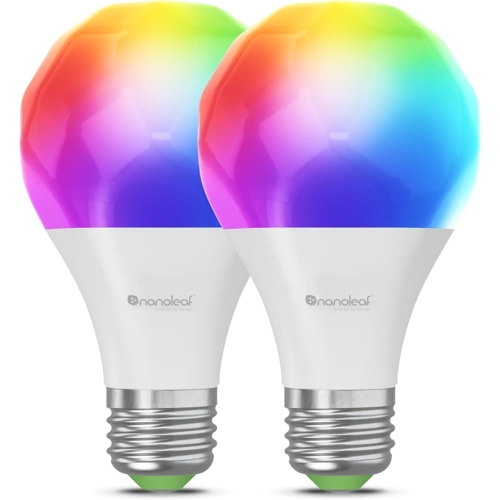
Light up your room and set the vibe with this Nanoleaf multicolour smart bulb. With Wi-Fi and Blue...Light up your room and set the vibe with this Nanoleaf multicolour smart bulb. With Wi-Fi and Bluetooth support, syncing it with your smart-home setup is super easy. Want the lights to dim when the TV turns on? That is totally doable. Thanks to Matter compatibility, you can automate it with multiple smart gadgets across brands. Good to know: - The Nanoleaf app lets you quickly set it up and control settings from your phone - Alexa or Google Assistant changes colours and brightness with simple voice commands - Choose from 16 million colours to set the mood just right Matter-Compatible for Seamless Integration: The Nanoleaf E27 Wi-Fi bulb supports Matter, making it compatible with major smart home ecosystems like Apple Home, Google Home, Amazon Alexa, and Samsung SmartThings. Futureproof your smart home with effortless customisation and enhanced connectivity. Quick and Easy Wi-Fi Setup: Enjoy hassle-free installation! Control your smart bulb directly via the Nanoleaf App over Wi-Fi or Bluetooth. Connect with your smart home ecosystem using Matter over Wi-Fi for a truly connected experience. Custom Schedules and Automation: Automate your daily routines by setting schedules to turn lights on/off at specific times. Save energy and enjoy the comfort of a welcoming, warm light when you step into your home without worrying about forgetting to switch off. 16 Million Colours & Circadian Lighting: Wi-Fi Bulbs Creates the perfect ambiance for any occasion with 16M vibrant colour options and dynamic scenes. Maximise comfort with circadian lighting that adjusts colour temperature based on your timezone, energising your day and promoting restful sleep at night. Voice Control & Smart Compatibility: Control your E27 bulb hands-free using voice assistants like Alexa, Google Assistant, or Siri. Just say, "Alexa, turn on the light," and watch it illuminate instantly. (Requires Matter-compatible hub and iOS/tvOS 16.5+ or Android 8.1+) Enjoy fast and reliable control of this Matter & Wi-Fi Smart Bulb that boasts bright tunable whites. over 16M colours to choose from and a unique multi-faceted bulb design. Perfect for your daily lighting needs. Use with Wi-Fi. Bluetooth. or Matter over Wi-Fi 16+ Million Colours & Colour-Changing Scenes Tunable Whites (2700K-6500K) Control with Nanoleaf App or through a Smart Home Ecosystem for Voice Control Requires a Matter compatible smart home hub and iOS/tvOS 16.5+ or Android OS 8.1+ to connect to a smart home ecosystem. Works over Wi-Fi More accessible and easier to set up for all. Control directly with the Nanoleaf App using Wi-Fi and Bluetooth. or connect with a smart home ecosystem using Matter over Wi-Fi. Maximise Comfort and Productivity With Circadian Lighting. you can set your lights to automatically adjust to the colour temperature of the sun based on your timezone or manual settings. This feature helps to energise you in the day and naturally prepares you for rest by removing blue light at night. Customised Schedules Automate your lights to turn on/off at specific times and days to make your daily routines a little easier. Set your schedule using Apple Home. Google Home app or any other Matter-compatible app or voice assistant. Limitless Colours & Brightest Whites 16M Colours: Virtually limitless colour options. Choose your favourite vibrant colour or create colour-changing Scenes for the perfect ambience. Nanoleaf App Holiday-Themed Scenes - Discover thousands of already made colour palettes. lighting animations and colour-changing Scenes. Customise Colour Palettes & Motions - Get creative and create your own custom dynamic Scenes that fit your space and needs. Magic Scenes - Type in any holiday word and watch its colour palette appear magically across your lights. Smart Home Ecosystem Simple Control via Ecosystem Apps - With Matter. you can control basic functions of your lights directly through your favourite smart home ecosystem app. Voice Controls - "Go hands free. and control your lights via Voice when you link it up to a smart home ecosystem with Matter. Hey Siri. please turn on my Holiday Lights!" Set Schedules - Automate your lights to turn on/off at set times to make your holiday routine easier and more convenient.
Best current price£26.73from PCHUB.UK
Best offers
Shopping.co.uk recommended and popular offers
 PCHUB.UK£26.73Visit shop ›
Nanoleaf Matter Wi-Fi E27 Smart Bulb 2Pk
Visit shop ›