
Erbauer Plunge Router - ER2100

Best current price£80.00from B&Q
Best offers
Shopping.co.uk recommended and popular offers
 B&Q£80.00Visit shop
 B&Q - 2100W 220-240V Corded Plunge Router Er2100Refurbished
Visit shopBest current price£80.00from B&Q
Shopping.co.uk recommended and popular offers
B&Q£80.00Visit shop B&Q - 2100W 220-240V Corded Plunge Router Er2100Refurbished
Visit shop2 offers from £80.00 - £85.00
View price history by clicking the chart icon.
This guide is for users of the Erbauer Plunge Router ER2100, designed for precise cutting and shaping of various materials. The key benefit is the router's ease of use and accuracy due to its pre-set plunge depth stop and fine depth adjustment. However, users should be aware that it requires proper setup and understanding of router bit selection for optimal results.
| Model Part Number | Er2100 |
|---|---|
| Brand | Erbauer |
The ER2100 accepts router bits with 1/2", 1/4" and 3/8" shanks.
Use the pre-set plunge depth stop and fine depth adjustment for precise depth control.
Unplug the router. Use the appropriate wrenches to loosen the collet and remove the old bit. Insert the new bit and tighten the collet securely.
Attach the parallel guide to the router. Adjust the distance between the bit and the guide to match your desired cut width. Securely clamp the workpiece and guide the router along the edge.
Yes, the router includes a dust adapter for connecting to a vacuum cleaner to remove dust and debris.
Guide bushes allow you to follow a template for more intricate cuts or to create specific shapes.
Always wear safety glasses and a dust mask. Secure the workpiece. Never force the router. Ensure the bit is sharp and in good condition.
Check the power cord connection and ensure the outlet is working. Verify the switch is in the 'on' position.
Check the router bit for sharpness and replace if dull. Reduce the cutting depth and/or slow down the feed rate. Ensure the material is securely clamped.
Check the router bit for damage and ensure it's securely tightened in the collet. Inspect the collet itself for wear and tear and replace if needed.
 MYPURECORE Premium Water Butts Kit - BlackFrom £11
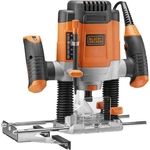 Black & Decker Plunge Router - 1200WFrom £82
 Black & Decker Dustbuster Pivot AutoVac Handheld Vacuum Cleaner - GreyFrom £41
 Hozelock Universal Flow Controller - 1758From £11
 Garantia Rapido DiverterFrom £27
 Alca 12V 24V Cigarette Lighter Socket Power Extension Cable - 5MFrom £15
 Charles Wet and Dry Cylinder - Numatic - Charles - BlueFrom £180
 HydroSure Frost Proof Bib Tap - 3/4"From £25
 Numatic Henry Pet XL Cylinder Vacuum Cleaner - GreenFrom £159
 Einhell Cordless Angle Grinder - 115mm 18V Body OnlyFrom £40
 Korum Any Chair Ripple Arm - KorumFrom £24
 ATEK Garden Tap With Hose Connector - SilverFrom £7