
connektgear Network Cable - CAT5e
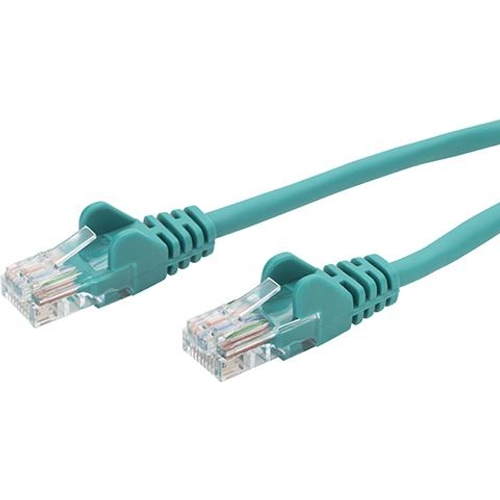

Best current price£5.48from PCHUB.UK
Best offers
Shopping.co.uk recommended and popular offers
 PCHUB.UK£5.48Visit shop
 Connektgear Green 2M Rj45 Cat5e Utp Stranded Flush Moulded Network Cable - 2
Visit shopBest current price£5.48from PCHUB.UK
Shopping.co.uk recommended and popular offers
PCHUB.UK£5.48Visit shop Connektgear Green 2M Rj45 Cat5e Utp Stranded Flush Moulded Network Cable - 2
Visit shop2 offers from £5.48 - £6.58
View price history by clicking the chart icon.
This 2m green CAT5e Ethernet cable from connektgear is designed for reliable home and office network connections. It's ideal for linking computers, printers, and smart TVs to routers or switches, ensuring seamless access to your local network and the internet. While supporting speeds up to 100Mbps, its main advantage lies in its slim, durable design with molded, snagless boots for easy handling and longevity, though it is not suited for gigabit speeds.
| Series | CAT5e |
|---|---|
| Model Part Number | 28-0020GN |
| Brand | connektgear |
This CAT5e cable is rated for data transfer speeds up to 100Mbps. While it can technically connect to Gigabit networks, its performance is optimized for 100Mbps.
While the cable connectors are compatible with Gigabit networks, the CAT5e standard and its limitations mean you will likely not achieve stable Gigabit speeds. For Gigabit speeds, a CAT6 or higher cable is recommended.
U/UTP means the cable consists of Unshielded Twisted Pairs. It does not have an additional outer foil or braid shield, making it more flexible but potentially more susceptible to electromagnetic interference in noisy environments.
Flush molded means the boot is the same size as the connector, allowing easier access to ports side-by-side. Snagless means the boot protects the RJ45 clip, preventing it from breaking off when plugged or unplugged, which also prevents the cable from getting caught on obstructions.
The cable features strain relief and snagless boots designed to enhance durability and longevity by reducing stress on connection points and protecting the fragile RJ45 clip.
The conductor type is stranded. This makes the cable more flexible and easier to manage compared to solid core cables, which are typically used for in-wall installations.
Ensure both ends of the cable are securely plugged in. Check that the device and network port are functioning correctly. Try a different Ethernet cable to rule out cable failure.
Verify the cable is a CAT5e and not damaged. Confirm your network equipment supports speeds higher than 100Mbps. This cable's maximum reliable speed is 100Mbps, so speeds above this may be limited by the cable.
Inspect the cable for any visible damage, kinks, or sharp bends. Ensure the snagless boots are not obstructing the clip. Test the cable in a different location to check for environmental interference.
The snagless boot is designed to protect the clip. If the clip is broken, the cable may still function but is prone to dislodging. Replace the cable if a secure connection cannot be maintained.
Setup:
Compatibility:
Care: