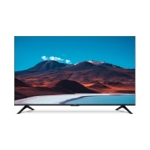
Dell UltraSharp U4323QE - 43" - Silver - 4K Ultra HD

Experience stunning clarity with this 43-inch 4K UHD monitor, featuring a high pixel density of 10...

Best current price£683.57from PCHUB.UK

All Offers

14 offers from £683.57 - £939.00

View price history by clicking the chart icon.

PCHUB.UKDell Silver Ultrasharp U4323qe Computer Monitor 109.2 Cm (43") 3840 X 21
Free delivery in 1–3 days
£683.57
Visit shop
Laptops Direct (BID)Dell Ultrasharp U4323qe 43 Ips 4K UHD Usb-C Monitor Silver, Laptops Direct - DELL-U4323QE
£6.95 delivery
£769.97
Visit shop
Scan ComputersDell Ultrasharp Inch 4K Ultra Hd Ips Usb-C Hub Monitor Size 43 U4323qe
Free delivery in 1–3 days
£799.99
Visit shop
PcNova.co.ukDell Silver Ultrasharp U4323qe Computer Monitor 109.2 Cm (43") 3840 X 21
Free delivery in 1–3 days
£801.36
Visit shop
GamingKitDell Silver Ultrasharp U4323qe Computer Monitor 109.2 Cm (43") 3840 X 21
Free delivery in 1–3 days
£820.28
Visit shop

Used Offers

2 offers from £700.00 - £750.00

View price history by clicking the chart icon.

eBay43"" Dell U4323QE 4K Monitor, IPS, 3840x2160, 5ms, 60Hz, 1000:1, 350cd/m², HDMI/D
Free delivery in 1–3 days
£700.00
Visit shop

Product Information

Full details

The Dell UltraSharp U4323QE is a 43-inch 4K monitor designed for professionals seeking a high-resolution display with extensive connectivity and enhanced productivity features. It's ideal for those who require a large screen for multitasking, detailed visuals, and comfortable viewing during extended work sessions. While offering numerous benefits, users should note the monitor's size might require a larger desk space. Key features include 4K UHD resolution, USB-C connectivity with up to 90W power delivery, and Picture-by-Picture (PBP) functionality.

All features

ColourSilver
Energy EfficiencyG
Screen Size43
Display Type4K Ultra HD
SeriesUltraSharp
Model Part NumberDELL-U4323QE
BrandDELL

Extended Product Information

FAQs

How do I adjust the monitor's height?

The monitor's height can be adjusted by using the lever on the stand. Simply lift or lower the monitor to your preferred height.

Can I mount the monitor on a wall?

Yes, the Dell UltraSharp U4323QE supports VESA mounting with a 100x100mm and 200 x 200 mm pattern.

What is the purpose of ComfortView Plus?

ComfortView Plus reduces blue light emissions while maintaining color accuracy, helping to minimize eye strain during extended use.

How do I use the Picture-by-Picture (PBP) feature?

The PBP feature can be activated through the monitor's on-screen display (OSD). You can choose from various pre-set layouts to display content from multiple sources simultaneously.

Does the monitor have a built-in KVM switch?

Yes, the Dell UltraSharp U4323QE includes a built-in KVM switch, which allows you to control multiple computers with a single keyboard and mouse.

What is the warranty period?

The monitor is typically covered by a limited hardware warranty. Check your product documentation or contact Dell support for specific warranty details.

How do I access the monitor's OSD menu?

Use the buttons located on the bottom or side of the monitor to navigate the on-screen display (OSD) menu and adjust settings.

Troubleshooting

Monitor doesn't power on.

Check the power cord connection and ensure the power outlet is working. Also, verify the power switch on the monitor is turned on.

No display signal.

Check the video cable connection (HDMI, DisplayPort, USB-C) to the computer. Ensure the correct input source is selected on the monitor.

Poor image quality.

Adjust the display resolution and refresh rate settings on your computer. Clean the screen to remove any dust or smudges.

USB-C charging not working.

Ensure your device supports USB-C power delivery and that the USB-C cable is connected properly. Check the USB-C settings in the monitor's OSD.

Built-in speakers not producing sound.

Check the audio output settings on your computer to ensure the correct audio device is selected. Increase the volume on the monitor and the computer.

Pros and Cons

Pros

  • High-resolution 4K display for crisp visuals.
  • USB-C connectivity with power delivery simplifies connections and charging.
  • Picture-by-Picture feature enhances multitasking.
  • ComfortView Plus reduces eye strain during long work sessions.
  • Built-in USB hub and KVM switch improve workflow efficiency.
  • Height-adjustable stand offers ergonomic flexibility.

Cons

  • Large size may require a larger desk space.
  • Energy efficiency class G may result in higher energy consumption compared to more efficient models.
  • The initial setup and configuration may be slightly more complex due to the number of features.

Setup, Compatibility & Care

Setup

  1. Connect the monitor to a power source.
  2. Connect your devices using HDMI, DisplayPort, or USB-C.
  3. Adjust the stand to your desired height and angle.
  4. Navigate the on-screen display (OSD) to configure display settings.
  5. Install Dell Display Manager (DDM) for advanced settings and easy arrangement of windows.

Compatibility

The Dell UltraSharp U4323QE is compatible with:

  • PCs and laptops with HDMI, DisplayPort, or USB-C ports.
  • Operating systems including Windows and macOS.
  • VESA mount for flexible placement options.

Care

  • Clean the screen with a soft, dry cloth. Avoid using harsh chemicals or abrasive cleaners.
  • Regularly dust the monitor and the base.
  • Ensure proper ventilation around the monitor to prevent overheating.
  • When not in use, consider using PowerNap to dim or put the monitor to sleep to conserve energy.

Similar items

Price History

DatePrice
Visit shop