
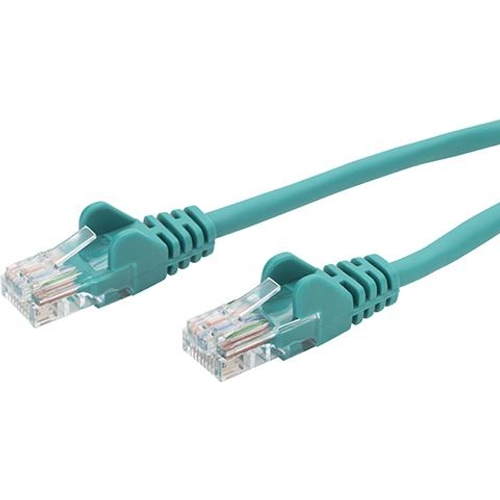
connektgear Network Cable - CAT5e


Best current price£5.34from PCHUB.UK
Best offers
Shopping.co.uk recommended and popular offers
 PCHUB.UK£5.34Visit shop
 Connektgear Green 1M Rj45 Cat5e Utp Stranded Flush Moulded Network Cable - 2
Visit shopBest current price£5.34from PCHUB.UK
Shopping.co.uk recommended and popular offers
PCHUB.UK£5.34Visit shop Connektgear Green 1M Rj45 Cat5e Utp Stranded Flush Moulded Network Cable - 2
Visit shop4 offers from £5.34 - £7.45
View price history by clicking the chart icon.

This guide is for anyone needing a reliable Ethernet connection for home or office devices like computers, printers, or smart TVs. The key benefit is seamless integration into your local network for internet access. A potential caveat is its 100Mbps speed limit, suitable for everyday use but not high-demand applications. This cable connects devices to routers, switches, or modems, offering up to 100Mbps data transfer with a durable, slim design featuring molded, snagless boots for protection and ease of use.
| Series | CAT5e |
|---|---|
| Model Part Number | 28-0010GN |
| Brand | connektgear |
This CAT5e cable supports data transfer speeds of up to 100Mbps (Megabits per second).
CAT6 cables offer higher performance with support for frequencies up to 250MHz and are generally capable of higher speeds (up to 10Gbps over shorter distances) compared to CAT5e's 100MHz and 100Mbps. CAT5e is sufficient for most standard home and office networking needs.
While CAT5e technically supports 1000Base-T, it's rated for 100Mbps in many real-world scenarios and older implementations. For guaranteed Gigabit speeds, a CAT5e cable that is certified for it or a CAT6 cable is recommended.
U/UTP stands for Unshielded Twisted Pair. This cable has no additional metallic shielding around the pairs of wires inside the jacket, which is common for standard Ethernet cables used in indoor environments.
A snagless cable boot is a molded cover over the RJ45 connector that protects the clip from breaking off when the cable is pulled or snagged on obstacles. It also helps prevent the cable from snagging on other cables or ports.
Stranded conductors are made of multiple small wires twisted together. This makes the cable more flexible and easier to route, but it's generally preferred for patch cords (shorter, flexible connections) rather than permanent in-wall installations where solid core conductors are more common.
This specific cable is 1 meter (approximately 3.3 feet) in length.
Ensure both ends of the cable are securely plugged into the correct ports. Check if the device's network adapter is enabled. Try a different Ethernet port on your router or switch. Test the cable with another device if possible.
While CAT5e supports up to 100Mbps, actual speeds can be affected by your internet plan and network equipment. Ensure the cable is not damaged. Check for other network congestion. For speeds significantly below 100Mbps, consider testing with a known good cable or a higher category cable if your network supports it.
Check the cable for visible damage. Ensure connectors are fully seated. Try a different cable to rule out a faulty cable. Verify that your router or switch is functioning correctly.
The snagless boot is designed to protect the clip, but accidents can happen. If the clip is broken, the cable may not stay securely in the port, leading to connection issues. Replace the cable.
Setup:
Compatibility:
This cable is compatible with any device featuring an RJ45 Ethernet port. It supports 10/100/1000Base-T(X) networking standards, making it suitable for most home and office Local Area Networks (LAN).
Care: