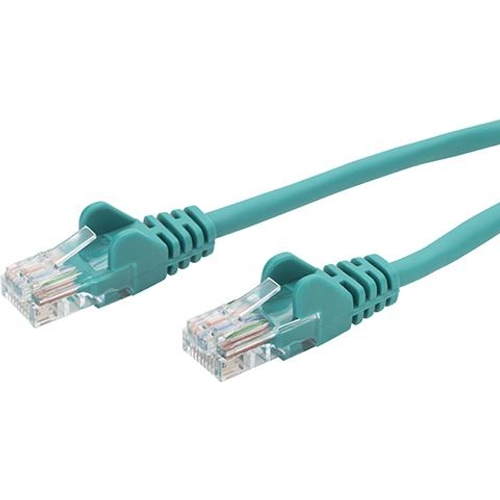
connektgear networking cable - CAT5e - 5m - Green

connektgear 28-0050GN networking cable Green 5 m Cat5e U/UTP (UTP). RJ45 Network cables have vario...

Best current price£9.12from PCHUB.UK

One Offer

1 offer from £9.12

View price history by clicking the chart icon.

PCHUB.UKConnektgear Green 5M Rj45 Cat5e Utp Stranded Flush Moulded Network Cable - 2
Free delivery in 1–3 days
£9.12
Visit shop

Product Information

Full details

The connektgear 28-0050GN is a 5-meter, green CAT5e Unshielded Twisted Pair (UTP) Ethernet cable designed for reliable network connectivity in home and office environments. It's ideal for connecting devices to routers, switches, or network points, offering a straightforward solution for local area network (LAN) setups. A key benefit is its 24AWG stranded copper construction for flexibility and ease of routing. However, as a CAT5e cable, it is best suited for standard networking speeds and may not provide the maximum performance for future high-bandwidth applications.

All features

SeriesCAT5e
Model Part Number28-0050GN
Brandconnektgear

Extended Product Information

FAQs

What is the main difference between CAT5e and CAT6 cables?

CAT6 cables offer higher bandwidth and are designed for frequencies up to 250 MHz, supporting faster speeds and less crosstalk than CAT5e cables (which are rated for 100 MHz). For most standard home and office use, CAT5e is sufficient, but CAT6 is better for demanding applications or future-proofing.

Can I use this 5m cable for a 10 Gigabit Ethernet network?

No, the CAT5e standard is generally rated for up to 1 Gigabit Ethernet over typical distances. For 10 Gigabit Ethernet, you would typically need a CAT6a or higher rated cable.

What does U/UTP (UTP) mean?

U/UTP stands for Unshielded Twisted Pair. It means the cable consists of pairs of wires twisted together, but there is no overall metallic shielding around the pairs to protect against electromagnetic interference.

Is a stranded cable better than a solid cable?

Stranded cables, like this one, are more flexible and better suited for patch cords that need to be moved or bent frequently. Solid core cables are more rigid but offer better performance over long distances and are typically used for in-wall wiring.

How do I clean the cable?

Wipe the cable jacket with a soft, dry cloth. If necessary, use a slightly damp cloth, ensuring no moisture enters the connectors. Allow the cable to air dry completely before reconnecting.

What does 24AWG mean?

AWG stands for American Wire Gauge. A lower AWG number indicates a thicker wire. 24AWG is a common size for Ethernet cables, offering a good balance between conductivity, flexibility, and cost.

Troubleshooting

No network connection or intermittent connectivity.

Ensure both RJ45 connectors are fully seated in their ports. Check that the cable is not visibly damaged (e.g., cuts, kinks). Try using the cable with different devices or ports to isolate the issue. Verify that the network source (router/switch) is functioning correctly. Consider testing with a known good cable.

Slow network speeds.

Confirm that your network devices and connection support Gigabit speeds. Ensure the cable is not being used beyond its CAT5e capabilities. Check for interference from other electronic devices if the cable is routed nearby; try rerouting if possible. Clean the RJ45 connectors and ports.

Connector clip broken or not engaging.

The molded boots are designed to protect the clip, but if it breaks, the connector may not stay securely in the port. This may require replacing the cable.

Pros and Cons

Pros

  • Flexible and easy to handle due to stranded conductors.
  • Color-coded for simple network identification.
  • Molded boots provide strain relief and durability.
  • Universal RJ45 connectors ensure broad compatibility.
  • Suitable for standard Gigabit Ethernet speeds.

Cons

  • CAT5e standard may not support future ultra-high-speed networking requirements.
  • Unshielded design is more susceptible to interference in high-EMI environments.
  • Stranded conductors are generally less robust for frequent, harsh physical manipulation compared to solid conductors.

Setup, Compatibility & Care

Setup:

  1. Identify the network port on your device (e.g., computer, router, switch, gaming console).
  2. Identify the network port on your network source (e.g., wall outlet, router, switch).
  3. Connect one RJ45 connector to the device's network port and the other RJ45 connector to the network source port.
  4. Ensure the connectors click securely into place.

Compatibility:

  • This cable is compatible with any device featuring an RJ45 Ethernet port.
  • It supports 10/100/1000Base-T (Gigabit Ethernet) networks.
  • Backward compatible with older Ethernet standards (e.g., 10Base-T, 100Base-TX).

Care:

  • Avoid exposing the cable to extreme temperatures, excessive moisture, or direct sunlight for prolonged periods.
  • Do not bend the cable sharply or kink it, as this can damage the internal conductors.
  • Clean the cable jacket with a dry or slightly damp cloth. Avoid using harsh chemicals or solvents.
  • Periodically check the RJ45 connectors for damage or debris. Ensure the locking tabs are intact.

Price History

DatePrice
Visit shop