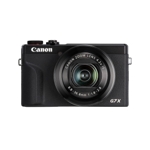
Setup, Compatibility & Care
Setup:
- Insert Battery and SD Card: Open the battery and card compartment, insert the battery and an SD card.
- Attach Lens: Mount the lens onto the camera body, aligning the red dots and twisting to lock.
- Power On: Press the power button to turn on the camera.
- Initial Settings: Follow the on-screen prompts to set the date, time, and other basic settings.
- Charging: Charge the battery using the provided charger.
Compatibility:
The Fujifilm X-E5 is compatible with SD, SDHC, and SDXC memory cards. It uses the Fujifilm X-mount, which supports a wide range of Fujifilm X-mount lenses.
Care:
- Cleaning: Use a soft, lint-free cloth to clean the camera body and lens. Avoid using harsh chemicals.
- Storage: Store the camera in a dry, cool place, away from direct sunlight and extreme temperatures.
- Lens Care: Protect the lens with a lens cap when not in use. Use a lens cleaning solution and cloth to remove smudges or dirt.
- Firmware Updates: Regularly check for firmware updates on the Fujifilm website to ensure optimal performance and bug fixes.



 eBay£1,184.00Visit shop
  Amazon£1,299.00Visit shop
  Wex Photo Video£1,649.00Visit shop