
NIIMBOT C1 Cable Label Printer - Lake Blue Gray
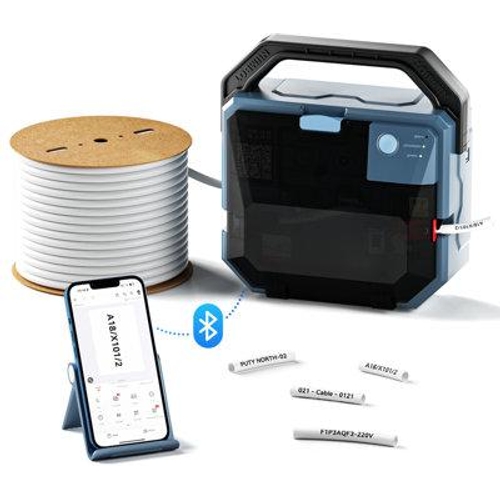
Best current price£339.99from B&Q
Best offers
Shopping.co.uk recommended and popular offers
 B&Q£339.99Visit shop
B&Q - C1 Cable Thermal Transfer Label Printer
Visit shopBest current price£339.99from B&Q
Shopping.co.uk recommended and popular offers
B&Q£339.99Visit shop B&Q - C1 Cable Thermal Transfer Label Printer
Visit shop3 offers from £339.99
View price history by clicking the chart icon.

The NIIMBOT C1 Cable Label Printer is a professional-grade thermal transfer tool designed for electricians, network installers, and technicians who require high-quality identification for cables, wires, and patch panels. Its key benefit is the specialized handling of complex cable formats like heat shrink tubes and flag labels, providing clean, durable results in field environments. However, potential users should note that the device relies on mobile app connectivity for its full feature set, which may require a learning curve for those accustomed to traditional desktop-linked thermal labelers.
| Model Part Number | C1 |
|---|---|
| Brand | NIIMBOT |
No, the C1 is designed to be fully operated via the dedicated mobile application over a Bluetooth connection.
To ensure the best print quality and avoid damage to the print head, it is recommended to use official NIIMBOT-compatible thermal ribbons and label materials.
The printer is capable of handling cable sleeves ranging from 0.5mm² up to 25mm².
Battery life varies based on usage intensity and ambient temperature, but it is optimized for a full day of typical professional installation work.
Half-cut mode cuts the label without cutting through the backing, making it easier to peel, while full-cut separates the label completely from the roll.
Verify that Bluetooth is enabled on your phone and that the C1 is powered on and within close proximity. Try restarting the app and the printer.
Check the thermal print head for dust or adhesive buildup. Gently clean the head with a soft cloth moistened with isopropyl alcohol.
Open the cover and ensure the sleeve is aligned correctly in the clamping mechanism. Remove any debris or torn label remnants from the feed path.
To begin using your NIIMBOT C1, ensure the rechargeable battery is fully charged via the provided port. Download the official NIIMBOT application on your mobile device and enable Bluetooth to pair the unit. When loading consumables, ensure the thermal ribbon and cable sleeve are properly aligned according to the internal guide markers to prevent jams. Compatibility is broad, covering cable sleeves from 0.5mm² up to 25mm². For long-term care, clean the thermal print head periodically with an alcohol-based wipe to remove adhesive residue and dust. Always store the printer in a cool, dry place to protect the sensitive internal electronics from moisture and extreme heat.
